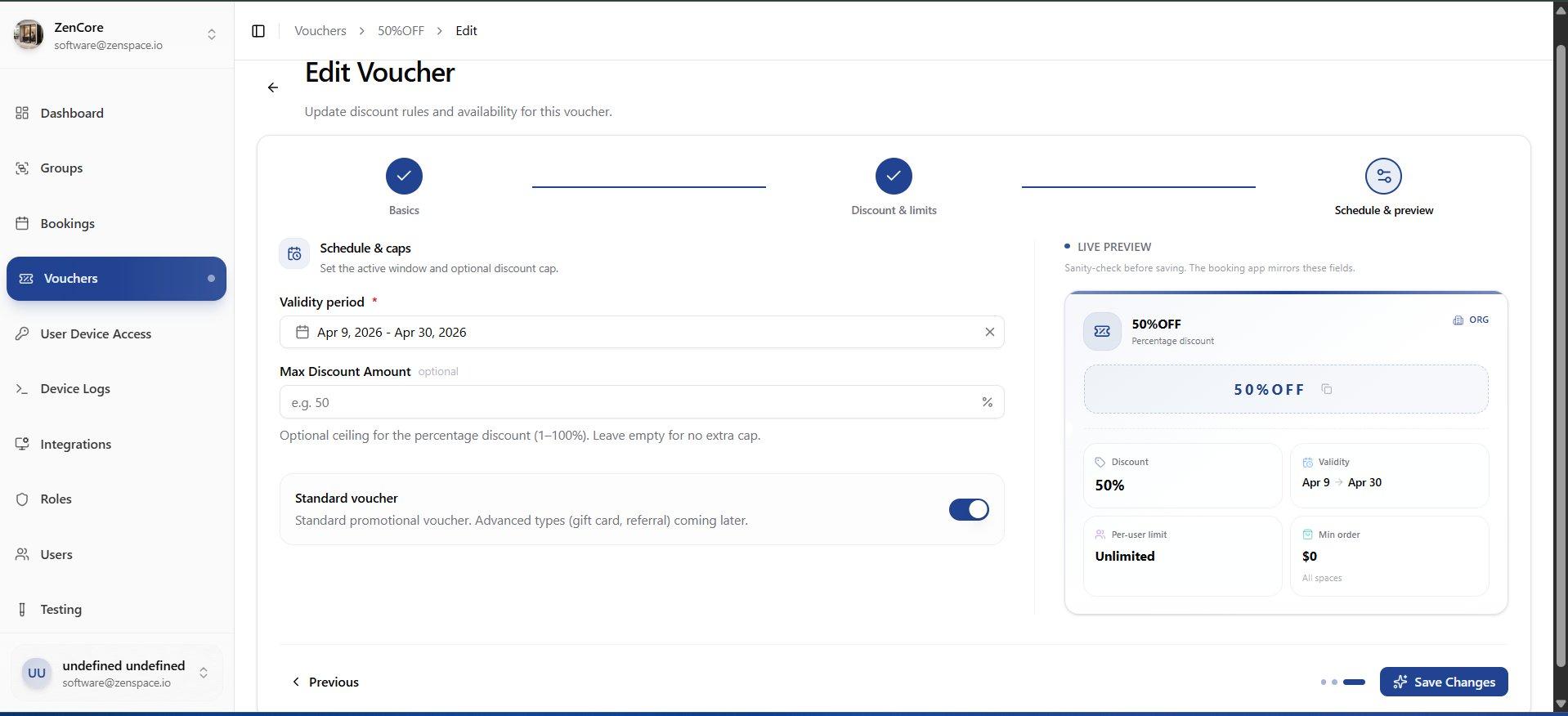
Vouchers
📸 Vouchers List
Manage discount vouchers. Table shows Voucher name, Code (copyable badge), Scope, Discount %, Min order, Validity dates, Per-user limit, and Status. Route: /vouchers
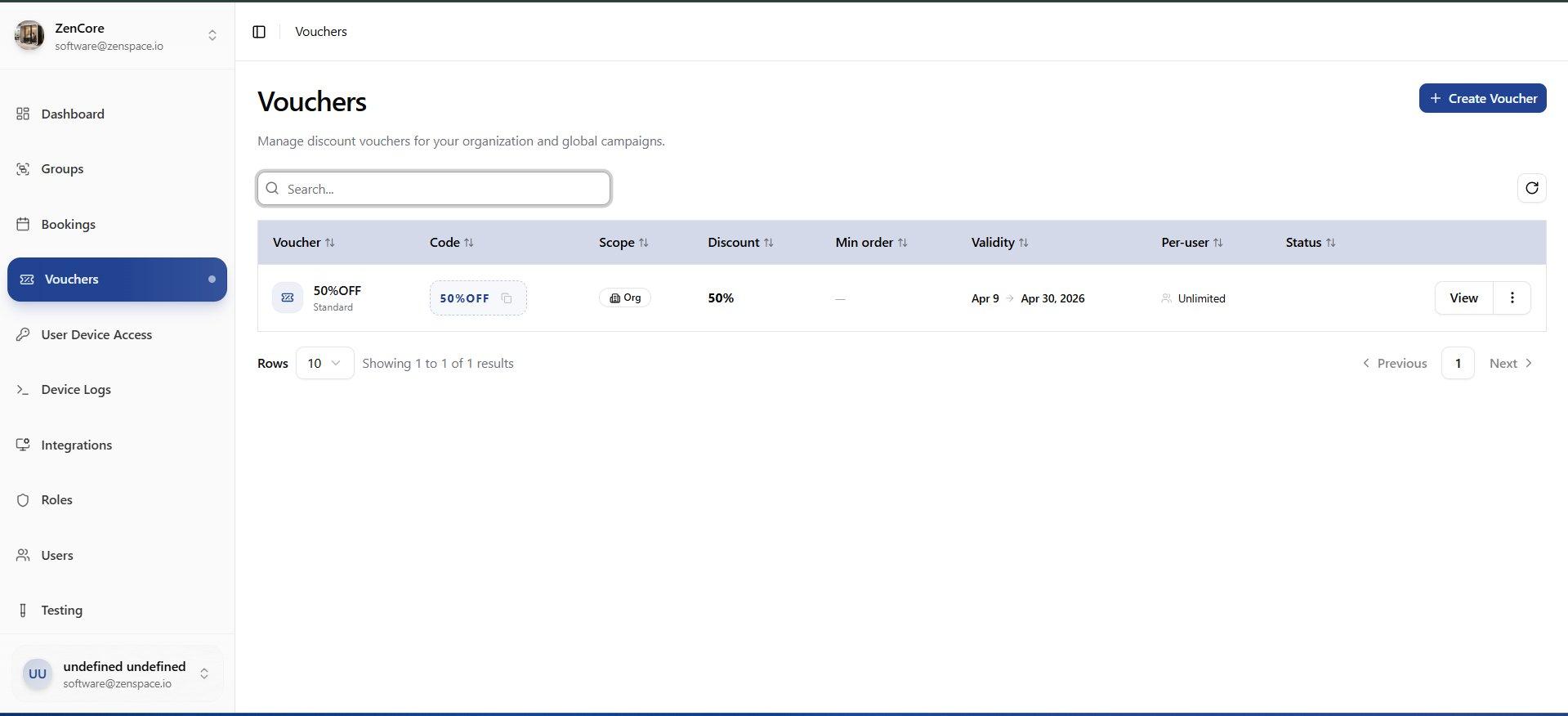
📸 Voucher Details
Voucher detail showing name, status badges (Active, Standard, Organization, Percentage), and discount code. Stats cards: Discount %, Redemptions, Per-user limit, Min Order. Validity and Scope sections. Route: /vouchers/:id
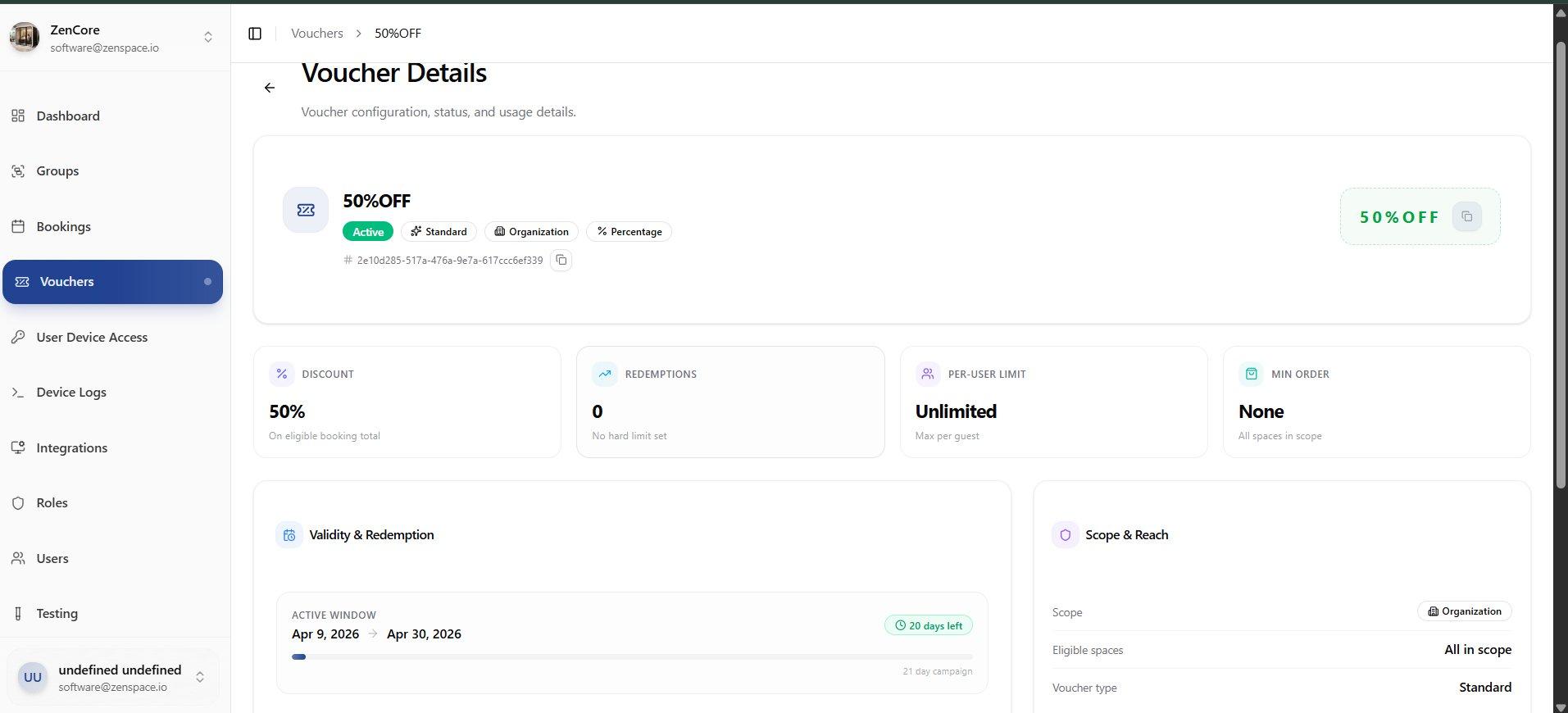
Create Voucher
📸 Step 1: Basics
3-step Create Voucher wizard. Step 1: Enter Name, Prefix, Code (unique code guests will enter), Postfix, and Description. Route: /vouchers/create
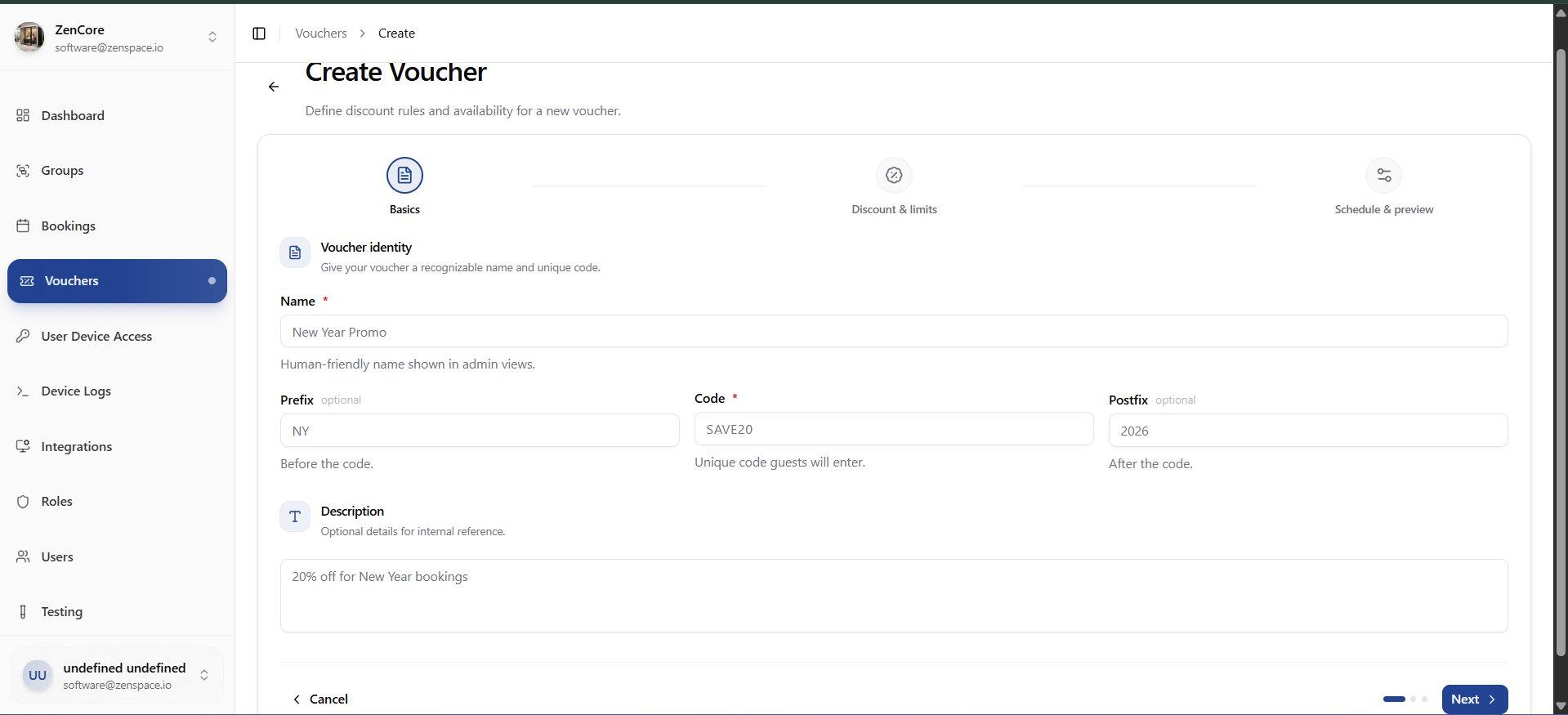
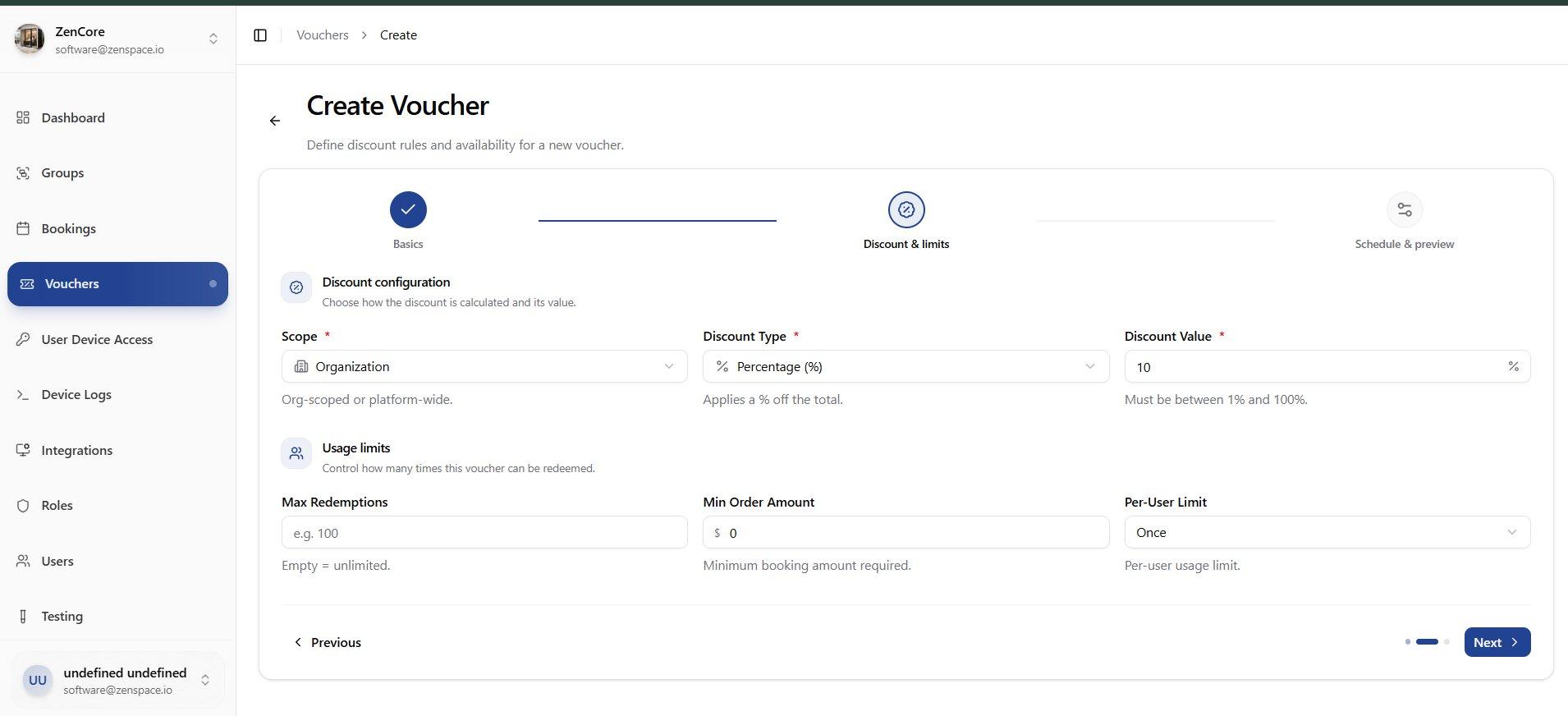
📸 Step 2: Discount and Limits
Step 2: Discount configuration — Scope (Organization/Platform), Discount Type (Percentage/Fixed), Discount Value. Usage limits: Max Redemptions, Min Order Amount, Per-User Limit.
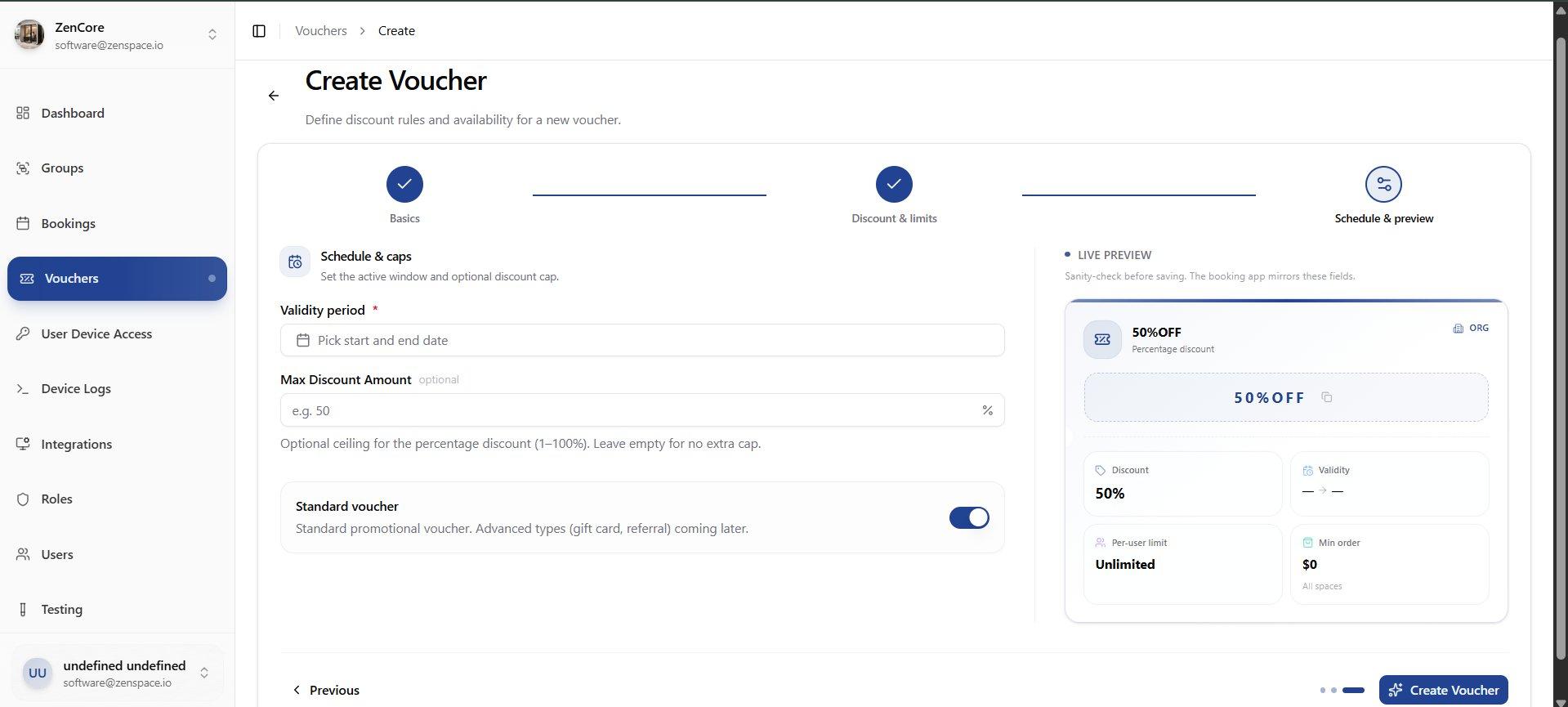
📸 Step 3: Schedule and Preview
Step 3: Set Validity period (start/end date), Max Discount Amount (optional cap), Standard voucher toggle. Live Preview panel mirrors the booking app display in real time.
Edit Voucher
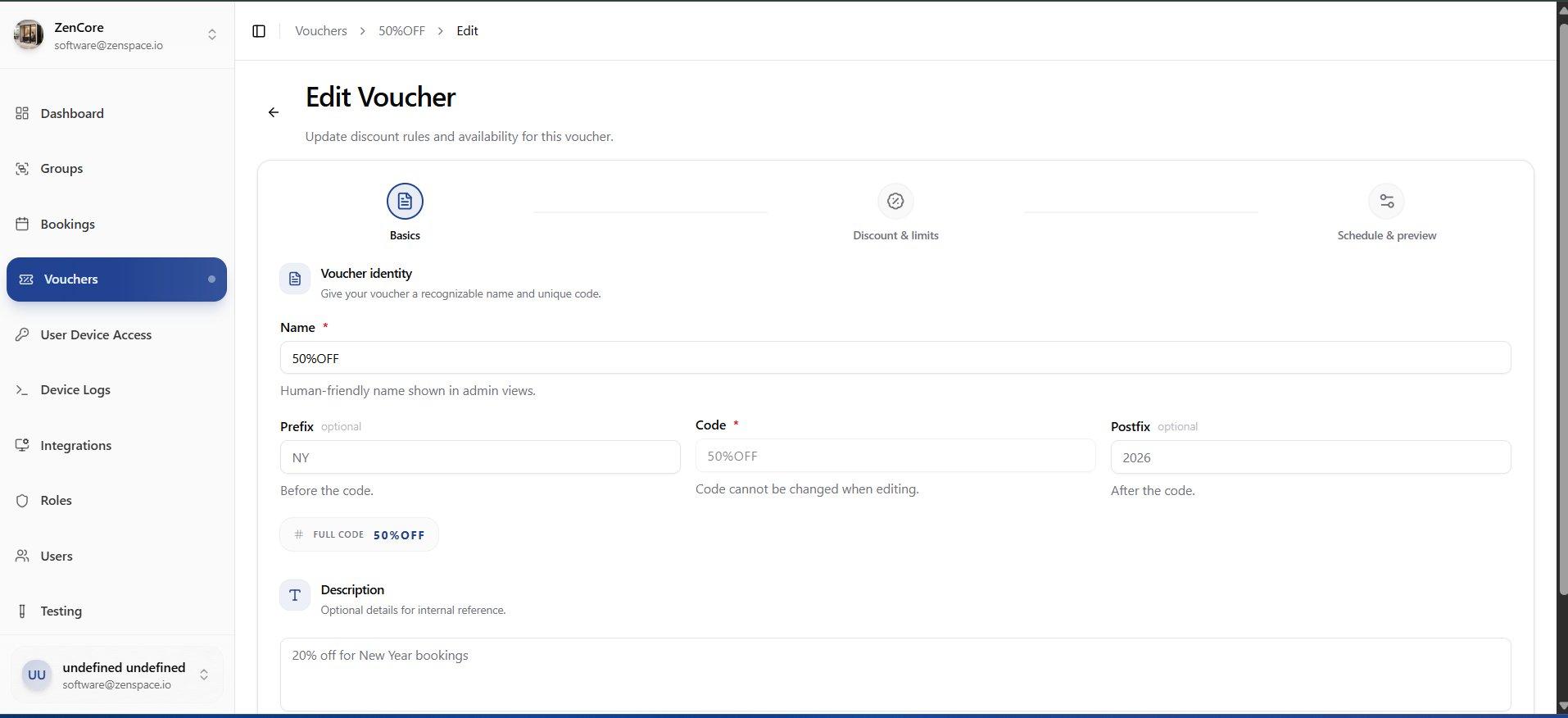
📸 Step 1: Basics
Edit Voucher wizard Step 1: Update Name, Prefix, Code (read-only when editing, shown with Full Code preview), Postfix, and Description. Route: /vouchers/:id/edit
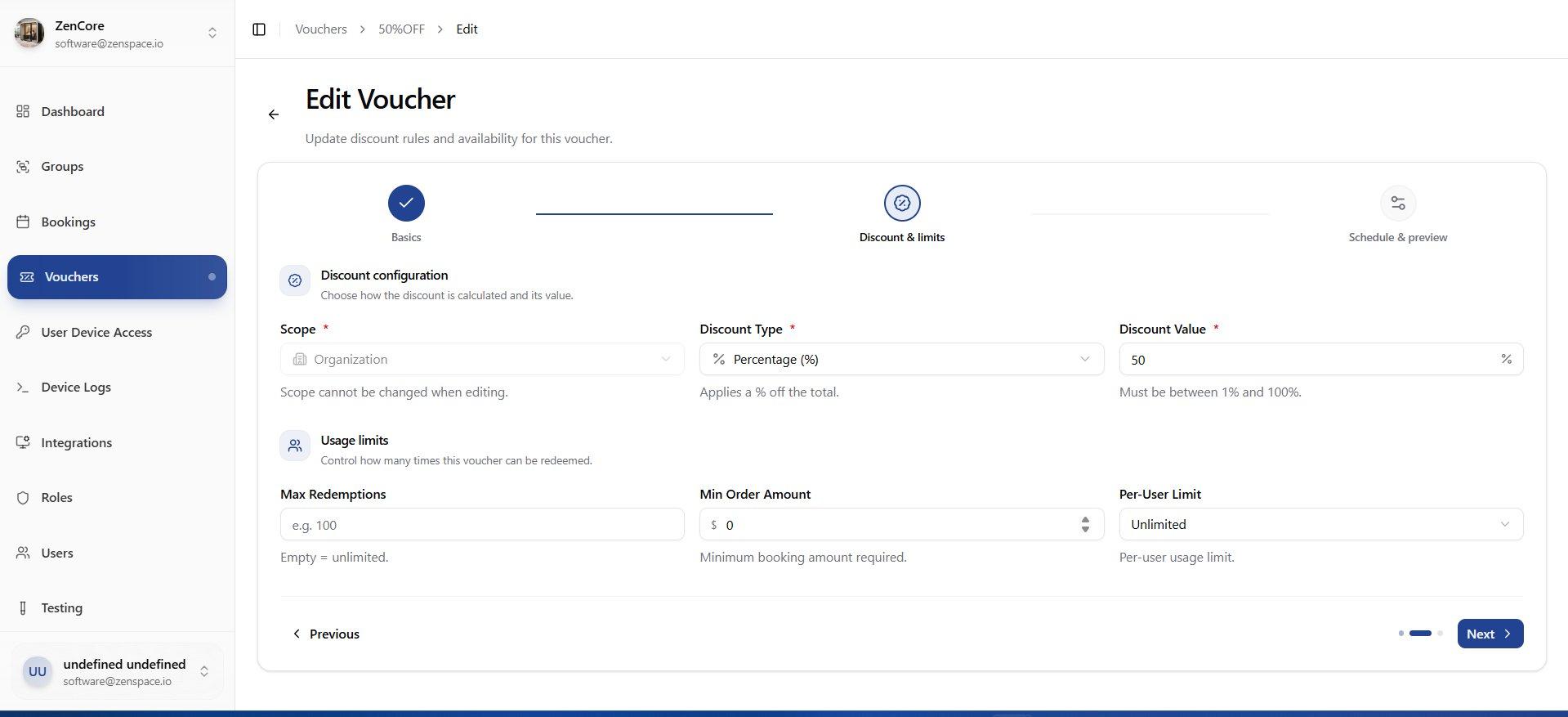
📸 Step 2: Discount and Limits
Edit Voucher Step 2: Update Discount Type, Discount Value, Max Redemptions, Min Order Amount, Per-User Limit. Scope is locked and cannot be changed when editing.
📸 Step 3: Schedule and Preview
Edit Voucher Step 3: Update Validity period dates, Max Discount Amount, Standard voucher toggle. Live Preview panel shows real-time voucher card preview. Save Changes button.