System Roles
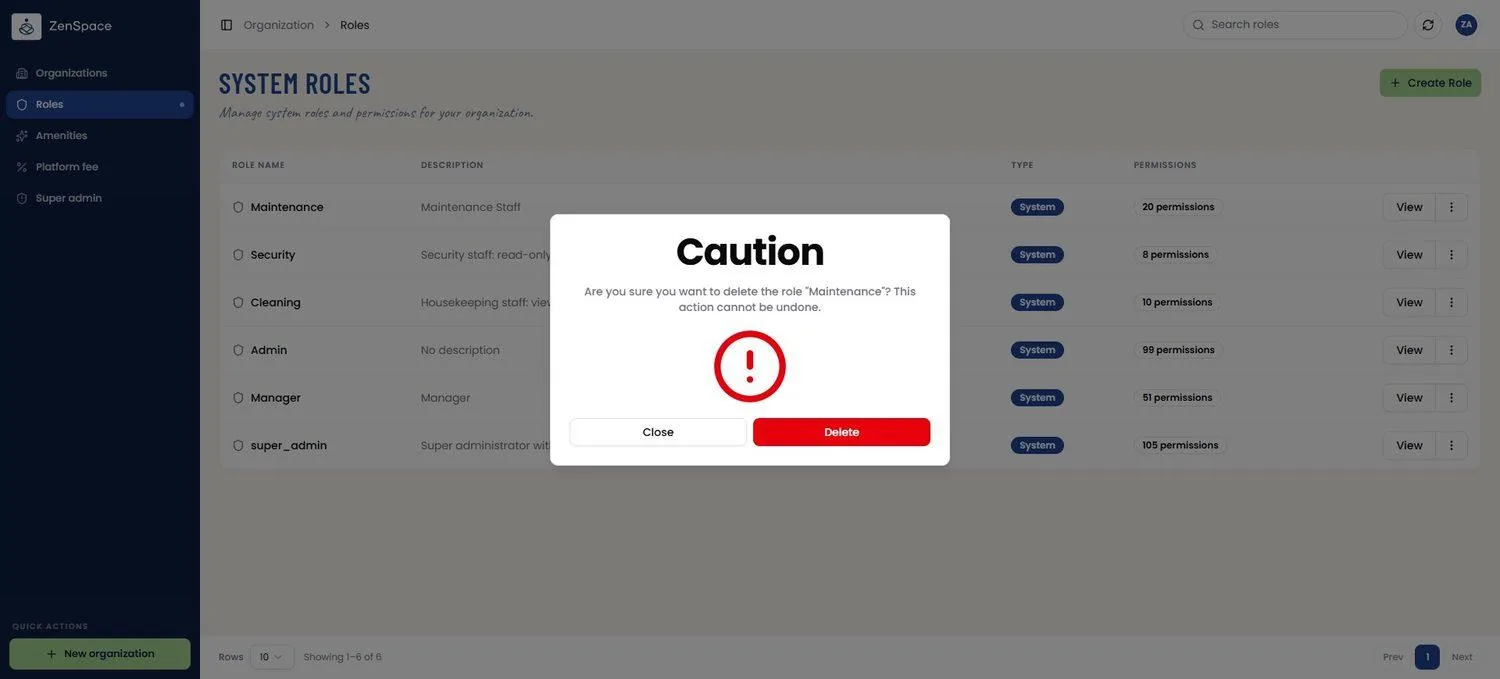
📸 System Roles List
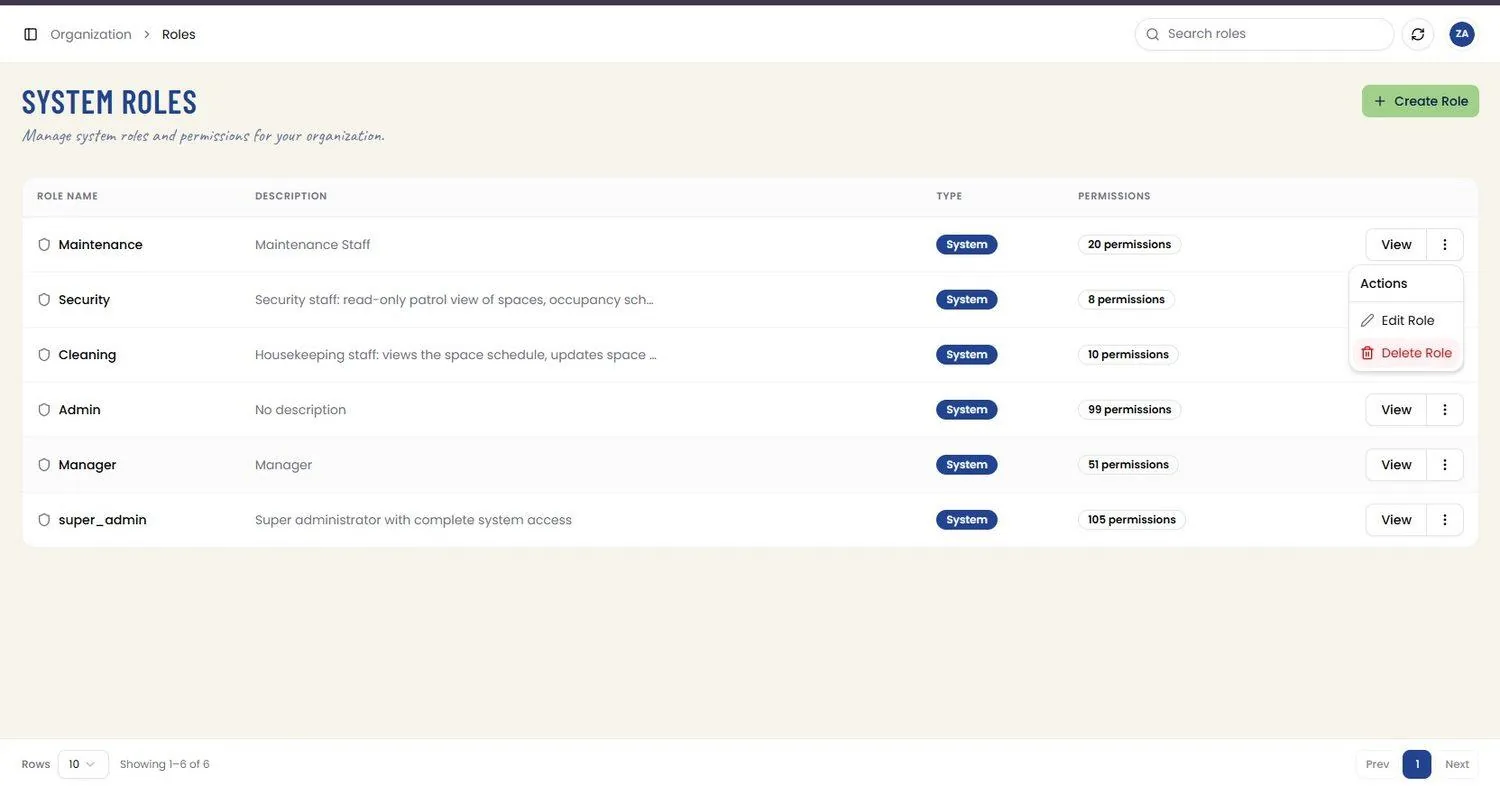
View all system-level roles in the organization. The table shows Role Name, Description, Type (System or Custom), and a Permissions count, with a View button and a per-row overflow menu offering Edit Role and Delete Role. Route: /system-roles
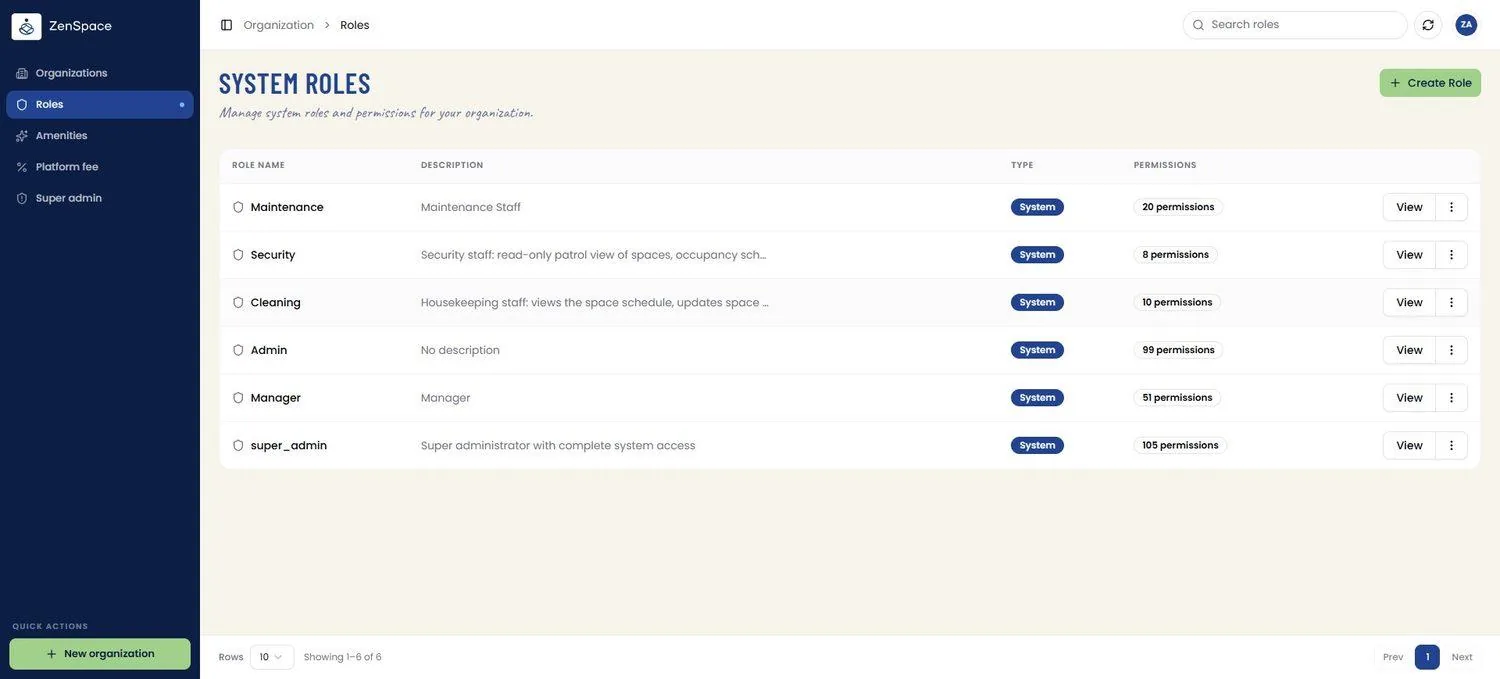
📸 Create System Role
Define a new role with a name, description, and granular permission assignments across all resource categories, including newer categories such as API Keys, Third-Party Connections, Event Types, Cancellation Policy, Booking Access Retry Policy, Admin Booking, Meeting Space Status, Reports, Audit Logs, and Kiosk Display Groups. Route: /system-roles/create
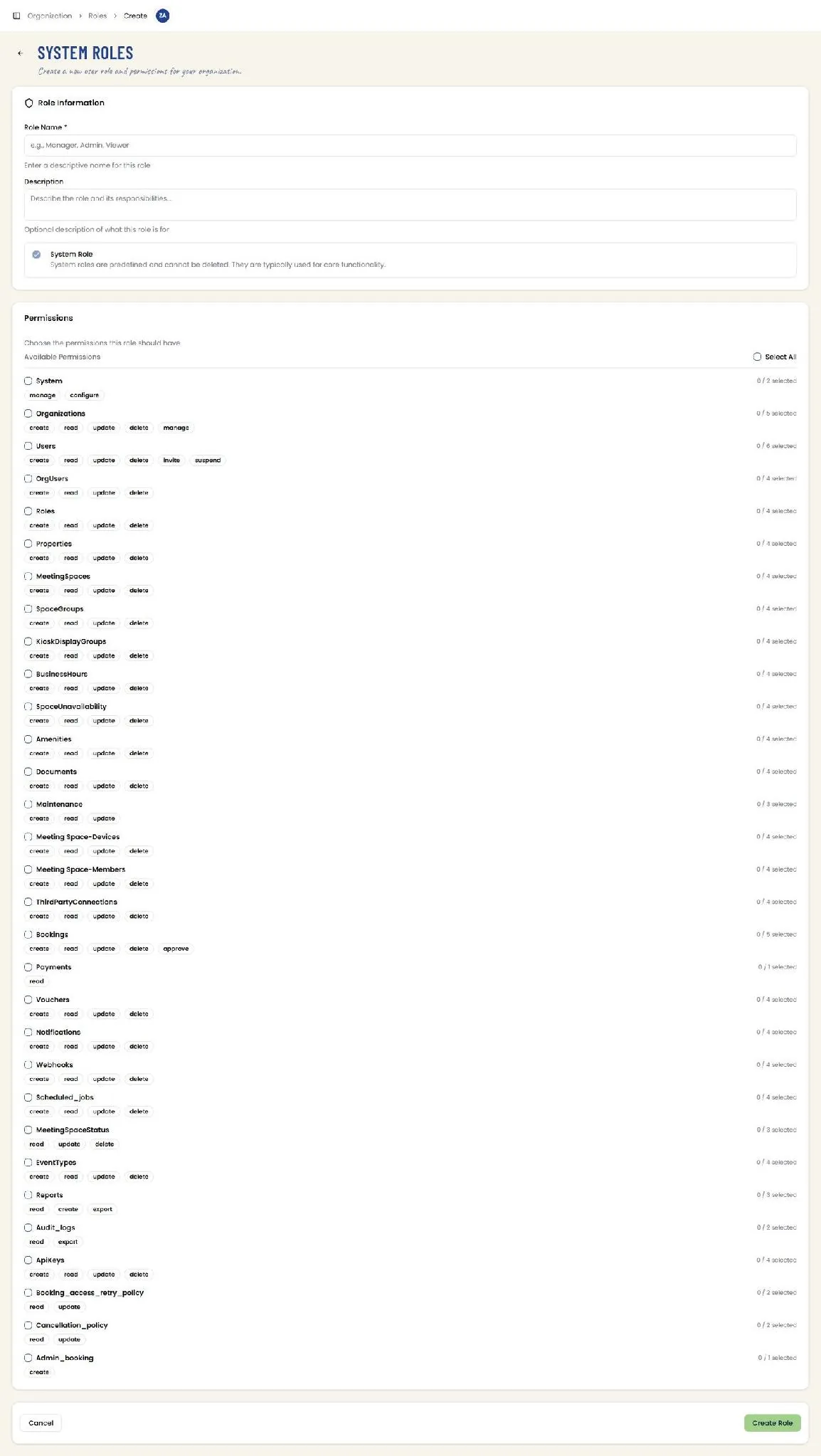
📸 View Role Detail
View all permissions assigned to a specific role, grouped by resource category. Route: /system-roles/:id
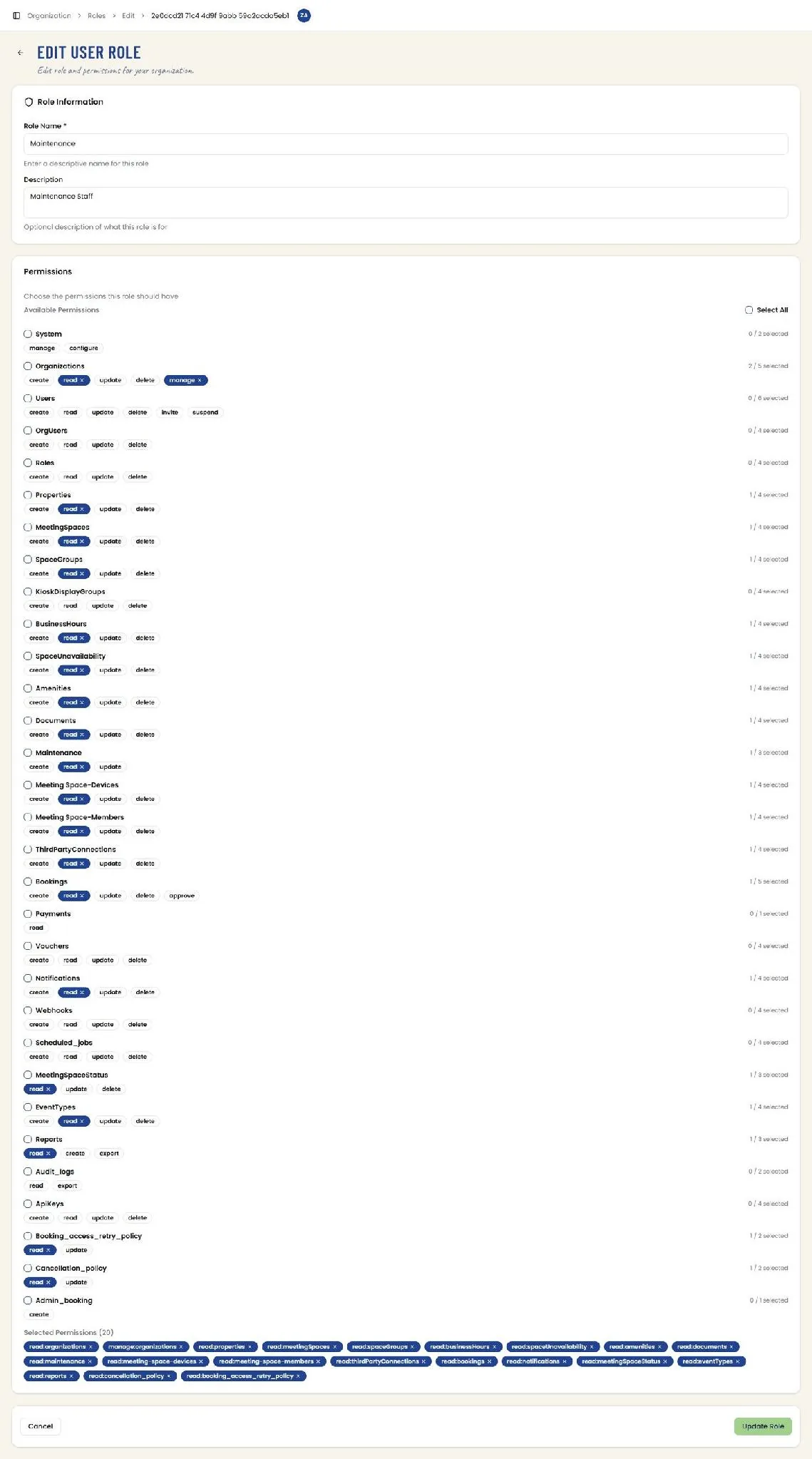
📸 Edit User Role
Modify an existing role's name, description, and permission assignments. Selected permissions are also summarized as removable chips beneath the permission list for a quick overview before saving. Route: /system-roles/:id/edit
📸 Role Actions Menu
Each row’s overflow menu opens an Actions panel with Edit Role and Delete Role options.
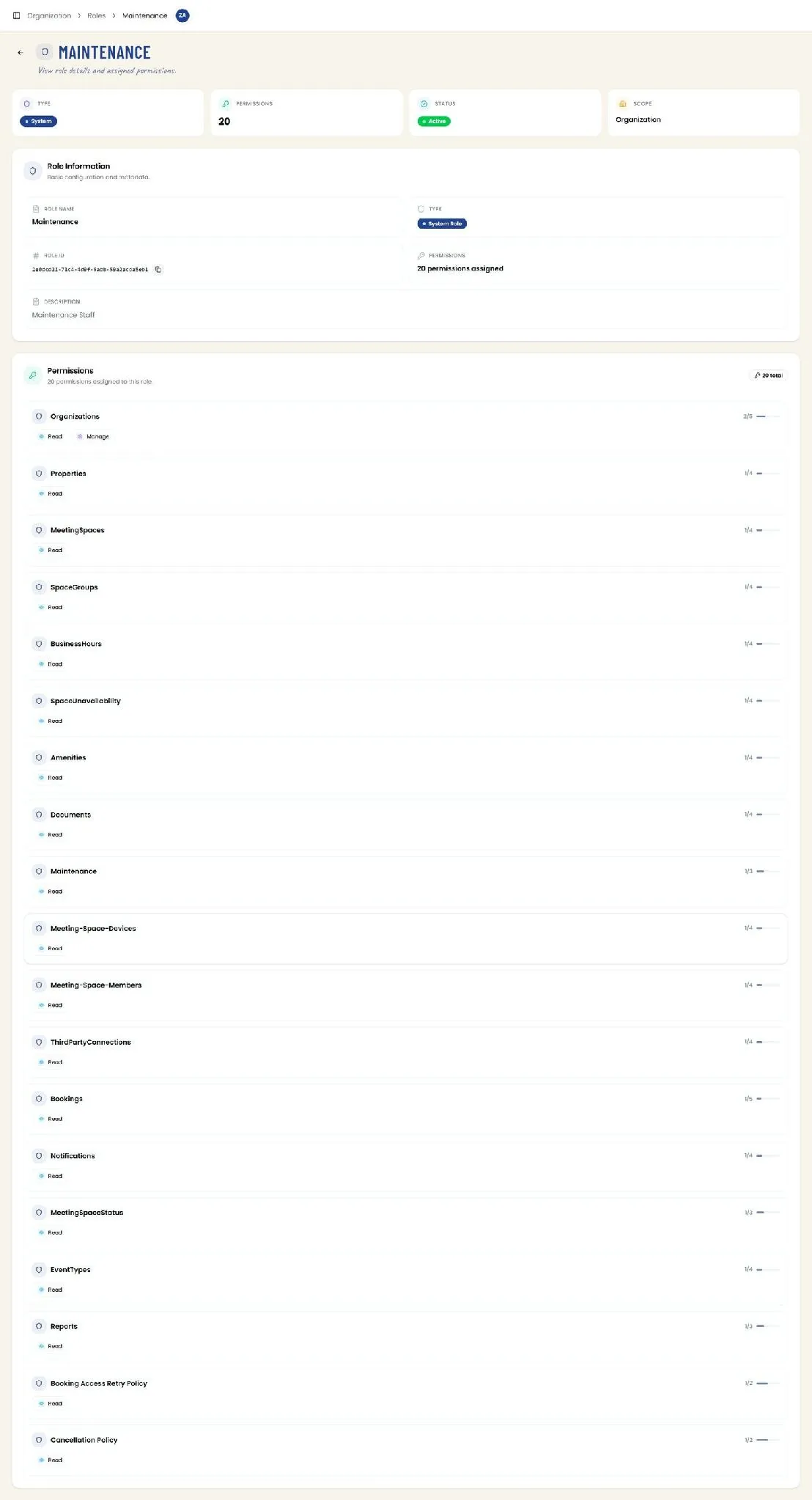
📸 Delete Role Confirmation
Selecting Delete Role opens a Caution modal confirming the action cannot be undone; Close cancels, and Delete permanently removes the role.