Roles
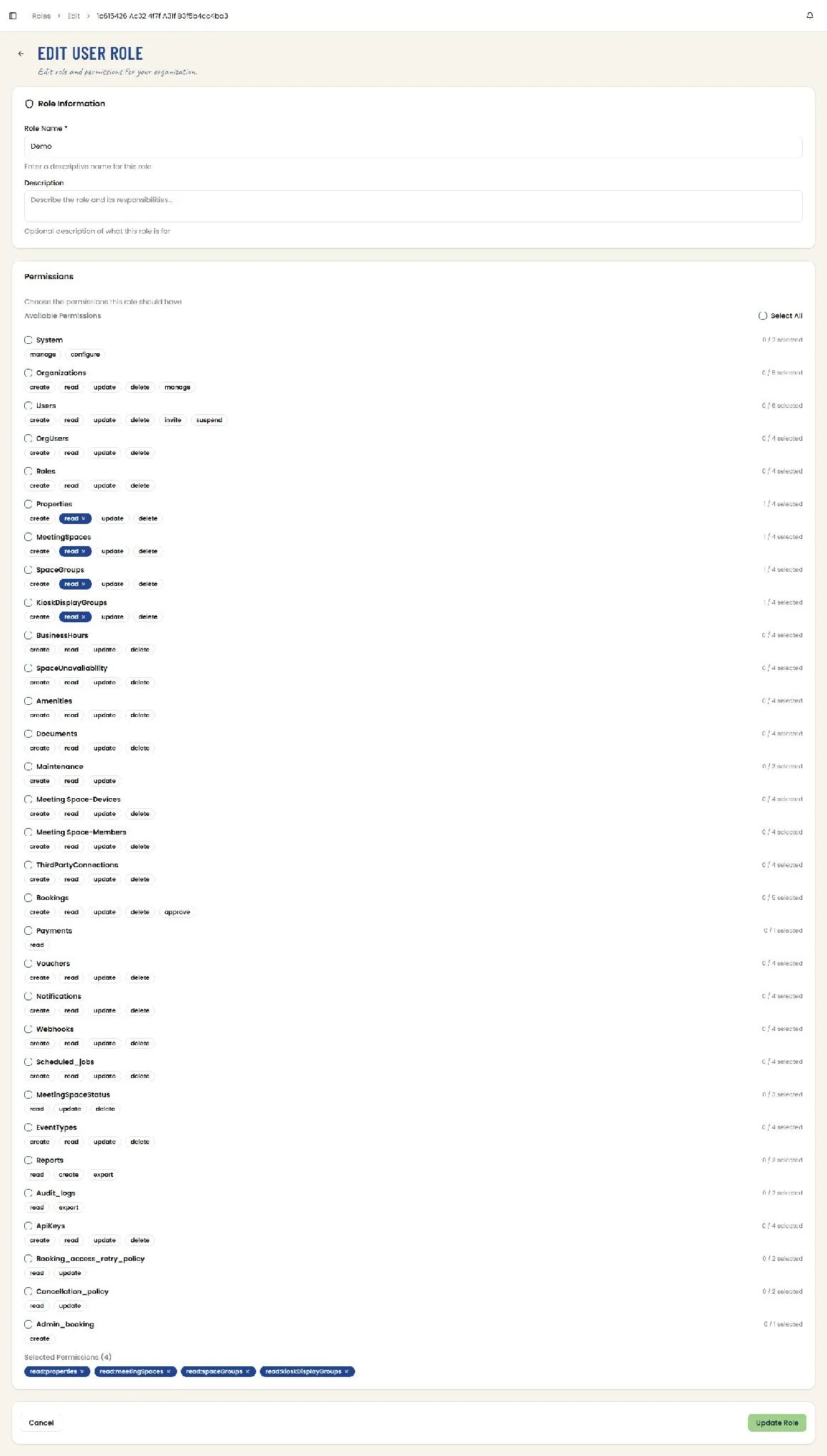
📸 User Roles List
Manage user roles and permissions for the organization. The table lists Role Name, Description, Type — System or Custom — and the number of permissions assigned, each column sortable, with a View action and a per-row overflow menu. Search, refresh, Create Role, and row-count and pagination controls complete the screen. Route: /roles
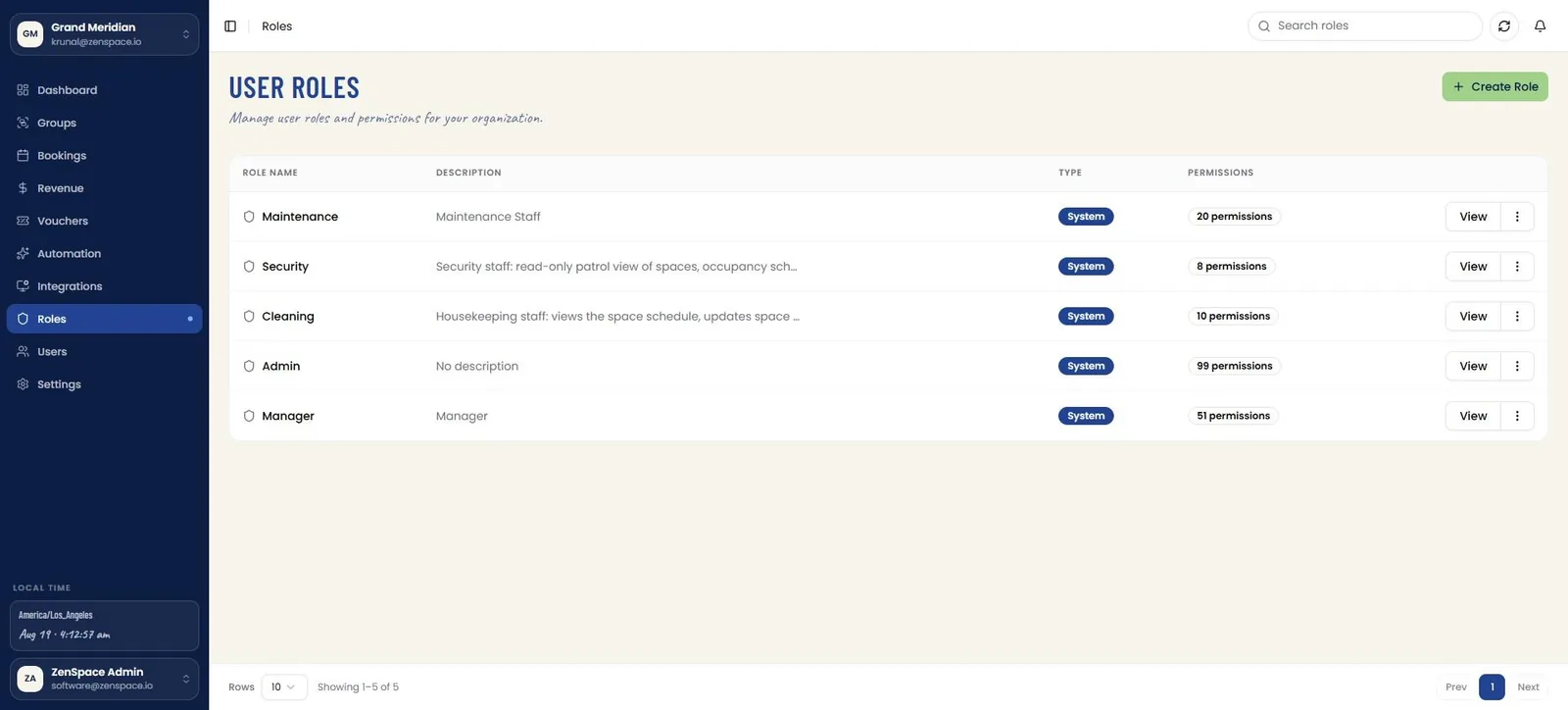
📸 User Roles — Row Actions
Each role's overflow menu offers Edit Role and Delete Role, the latter styled in red as a destructive action.
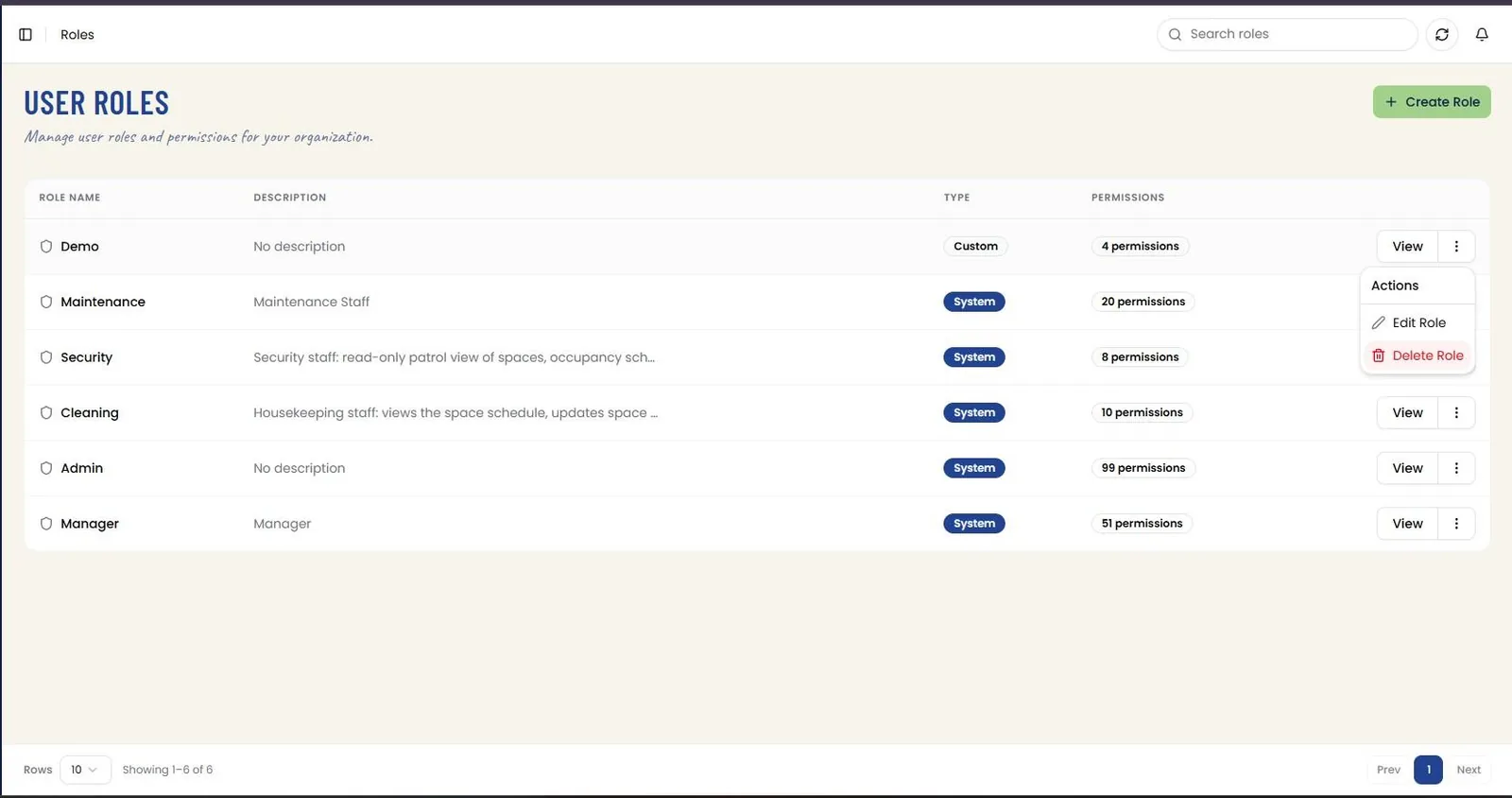
📸 Delete Role Confirmation
Delete Role opens a Caution modal naming the role and warning that the action cannot be undone. Close cancels, and Delete removes the role.
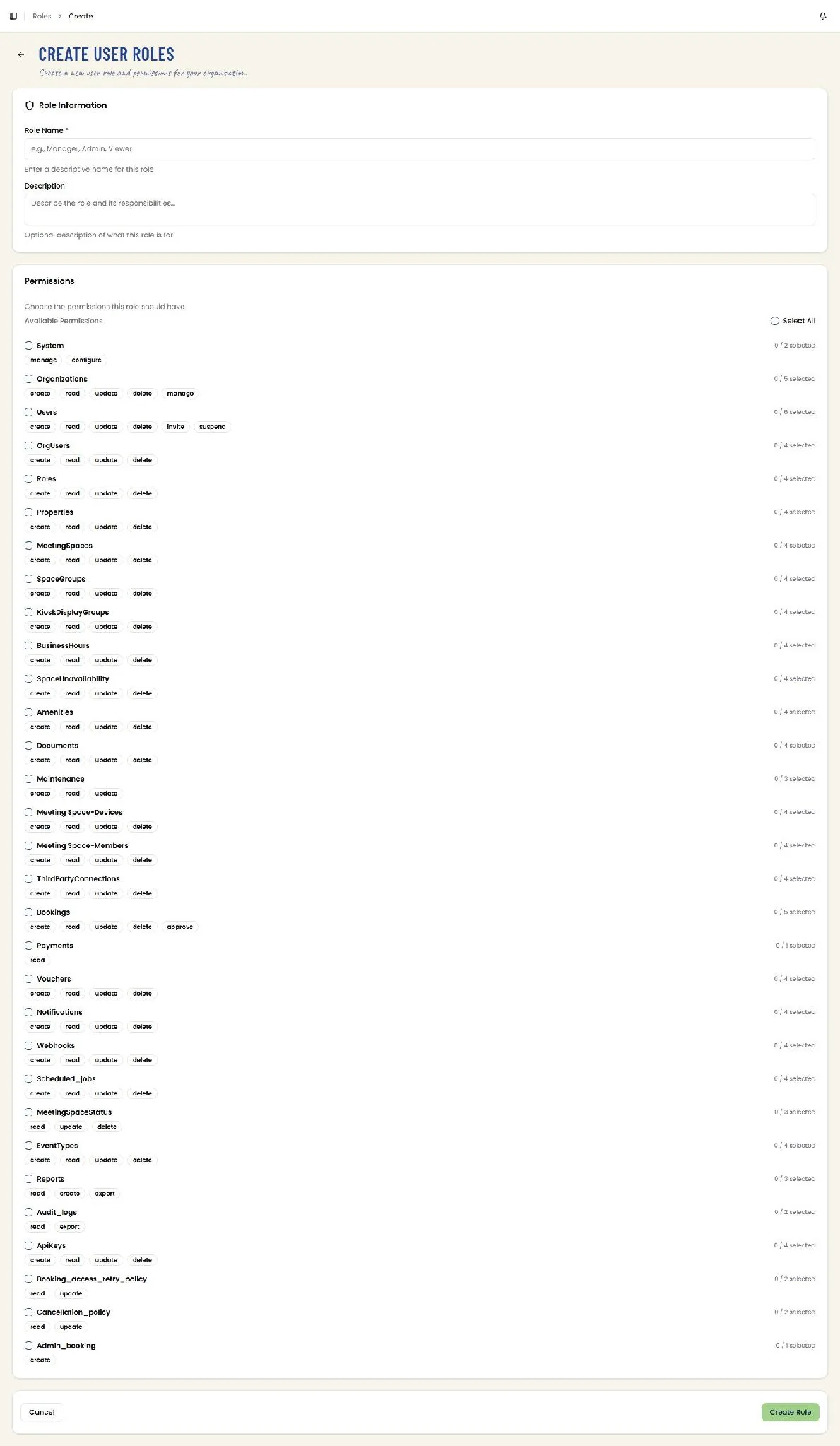
📸 Create User Role
Create a new user role and its permissions for the organization. Role Information takes a required Role Name and an optional Description of what the role is for.
Permissions lists every resource in the platform as its own group — System, Organizations, Users, OrgUsers, Roles, Properties, MeetingSpaces, SpaceGroups, and so on — each with a checkbox to take the whole group and individual action chips beneath it such as create, read, update, delete, and resource-specific actions like invite, suspend, approve, or export. A running count on the right of each row reports how many of that group’s actions are selected, and a Select All control sits above the list. The groups continue through Bookings, Payments, Vouchers, Notifications, Webhooks, Scheduled_jobs, MeetingSpaceStatus, EventTypes, Reports, Audit_logs, ApiKeys, Booking_access_retry_policy, Cancellation_policy, and Admin_booking. Cancel discards; Create Role commits the role with the selected permissions.
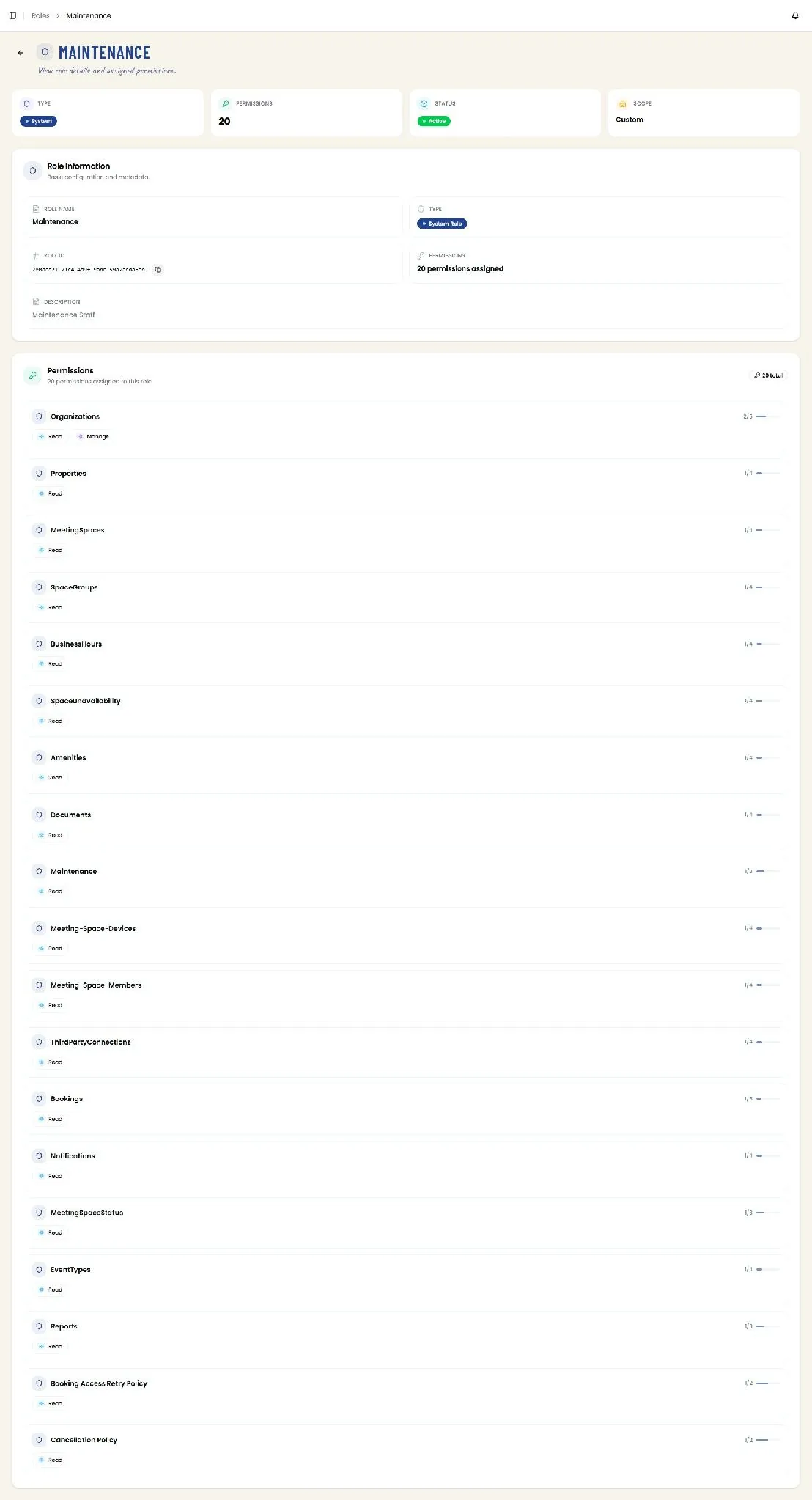
📸 Role Detail
View a role’s details and its assigned permissions. Four tiles summarise Type, the total number of Permissions, Status, and Scope. Role Information repeats the Role Name and Type, the Role ID with a copy action, the permission count, and the Description.
The Permissions panel then lists every resource group the role touches, showing the specific actions granted — Read, Create, Update, Delete, Approve, Manage — with a ratio and progress bar reporting how many of that group’s actions are held, and a Full access badge where the role holds all of them. Groups where only a subset is granted show a partial ratio and a shorter bar, making it easy to see at a glance where a role is read-only and where it holds full access. Route: /roles/:id
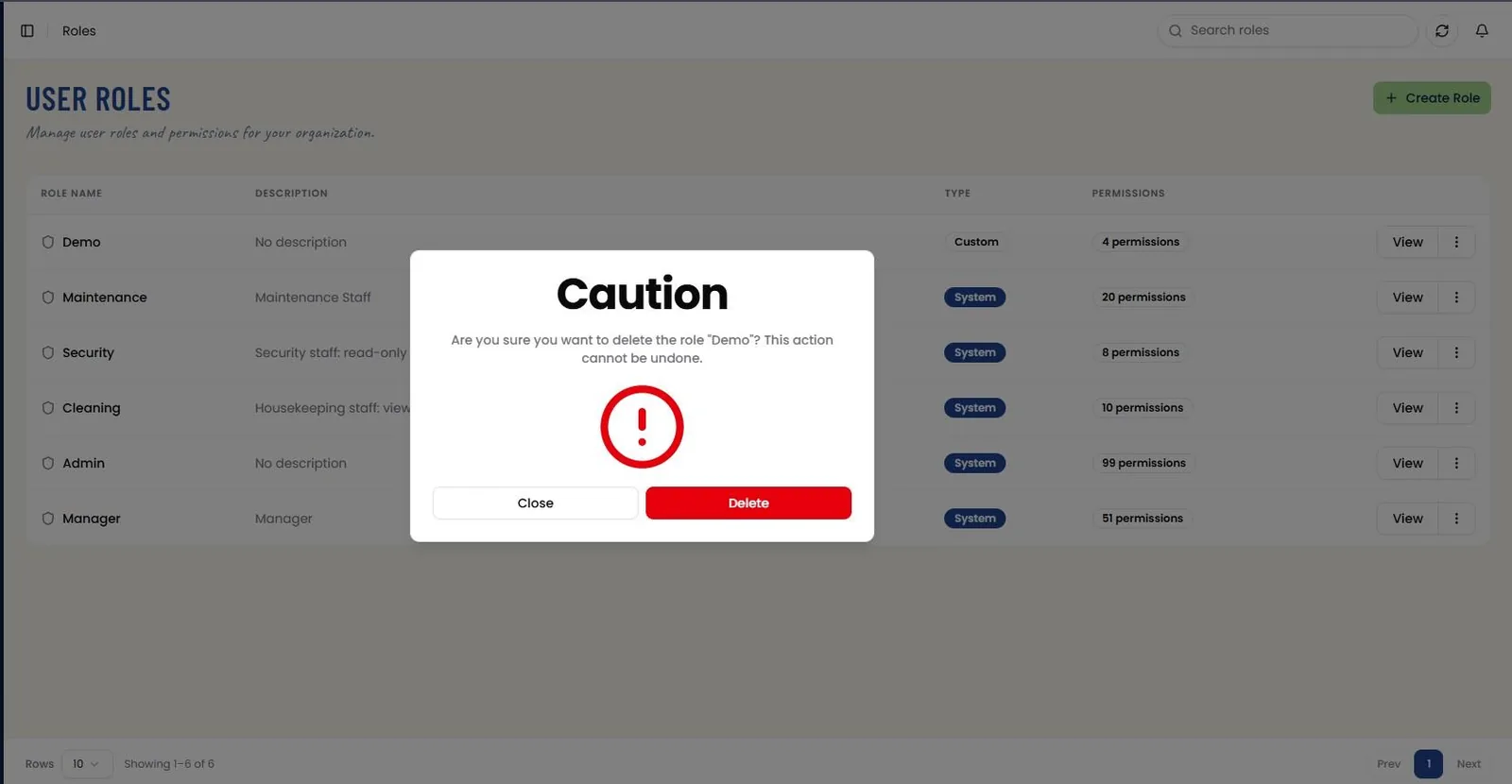
📸 Edit User Role
Modify an existing role's Name, Description, and permission assignments, pre-filled with its current values (e.g., Demo). The same resource-by-resource permission checklist as creation is used, with already-granted actions pre-checked; a Selected Permissions summary beneath the list echoes every checked action as a removable chip for a quick overview before saving. Cancel discards; Update Role commits the changes. Route: /roles/edit/:id