Revenue
📸 Revenue Overview
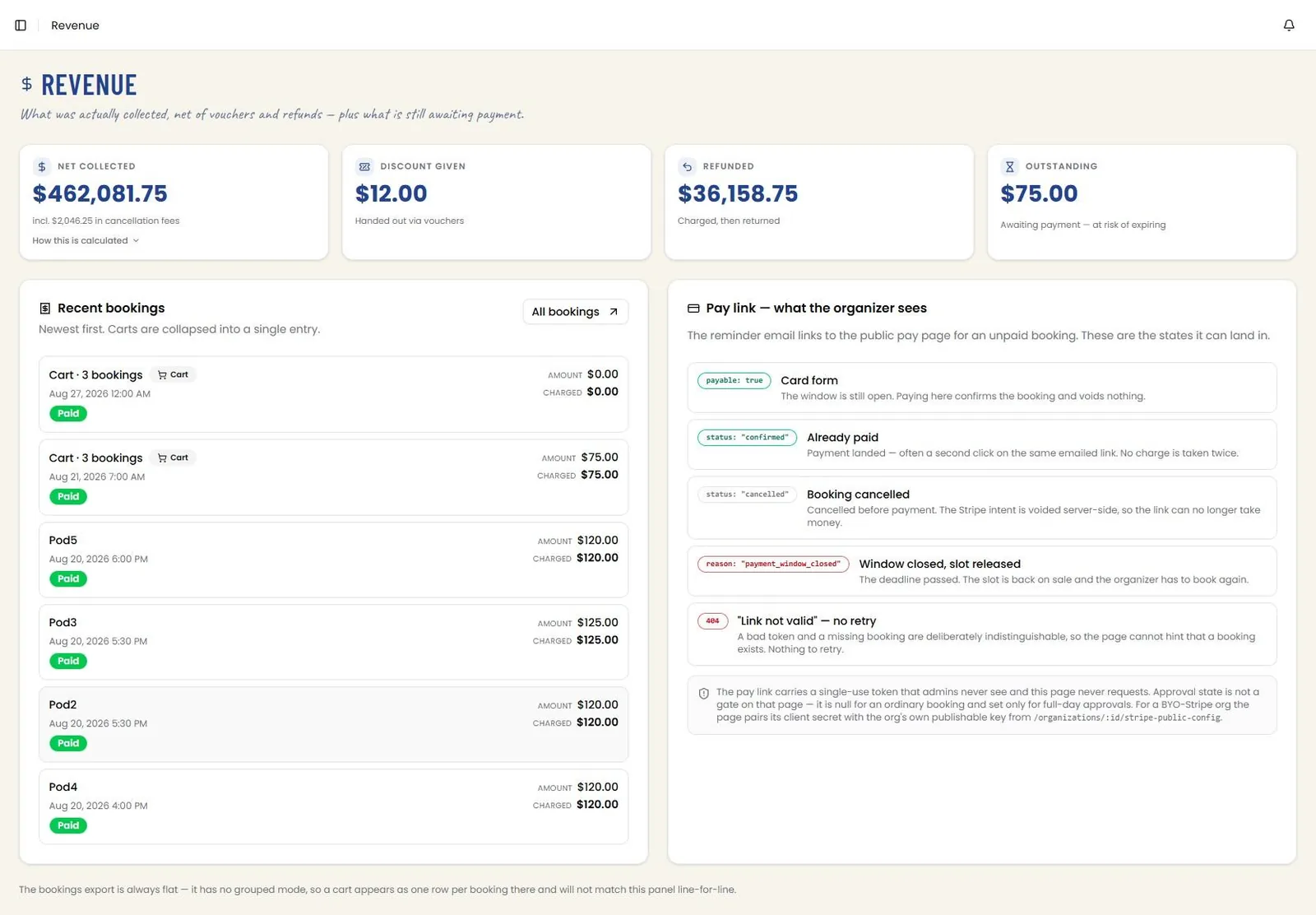
Revenue reports what was actually collected, net of vouchers and refunds, plus what is still awaiting payment. Four tiles head the page: Net collected, with an expandable How this is calculated explanation; Discount given, the value handed out via vouchers; Refunded, amounts charged and then returned; and Outstanding, money awaiting payment and at risk of expiring.
Recent bookings lists the newest bookings first with the amount and the amount actually charged, each tagged with its state — for example Paid, or Cancelled — payment expired. Carts are collapsed into a single entry in this panel, and a note beneath warns that the bookings export is always flat, so a cart appears there as one row per booking and will not match this panel line for line. All bookings opens the full Bookings screen. Route: /revenue
📸 Revenue — Pay Link States
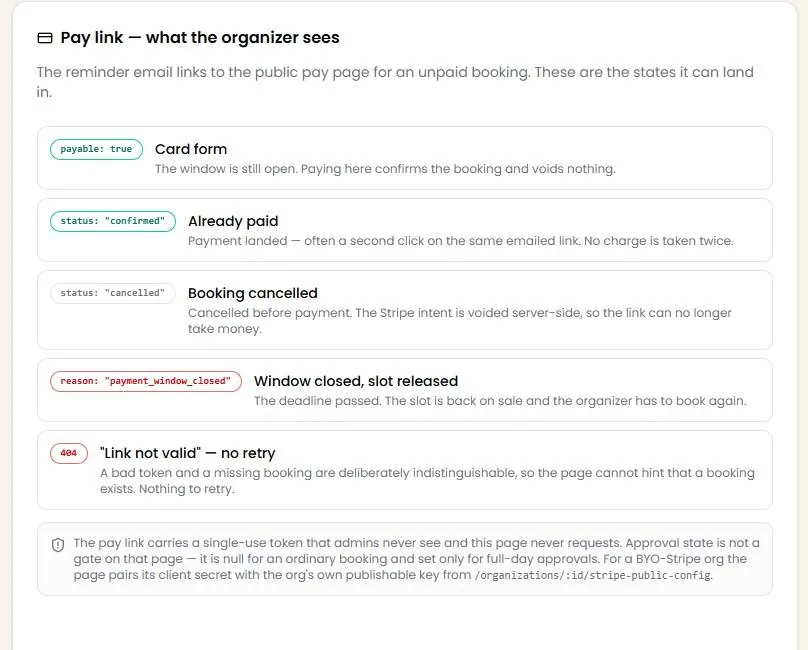
The Pay link panel documents what the organizer sees after following the payment link in a reminder email, and every state that page can land in:
Card form — the window is still open; paying here confirms the booking and voids nothing.
Already paid — payment has landed, often a second click on the same emailed link; no charge is taken twice.
Booking cancelled — cancelled before payment, with the Stripe intent voided server-side so the link can no longer take money.
Window closed, slot released — the deadline passed, the slot is back on sale, and the organizer has to book again.
Link not valid — a bad token and a missing booking are deliberately indistinguishable, so the page cannot hint that a booking exists and there is nothing to retry.
A closing note explains that the pay link carries a single-use token that admins never see and the page never requests; that approval state is not a gate on that page, being unset for an ordinary booking and used only for full-day approvals; and that an organization using its own Stripe account has the page pair its client secret with that organization’s own publishable key.