Organization
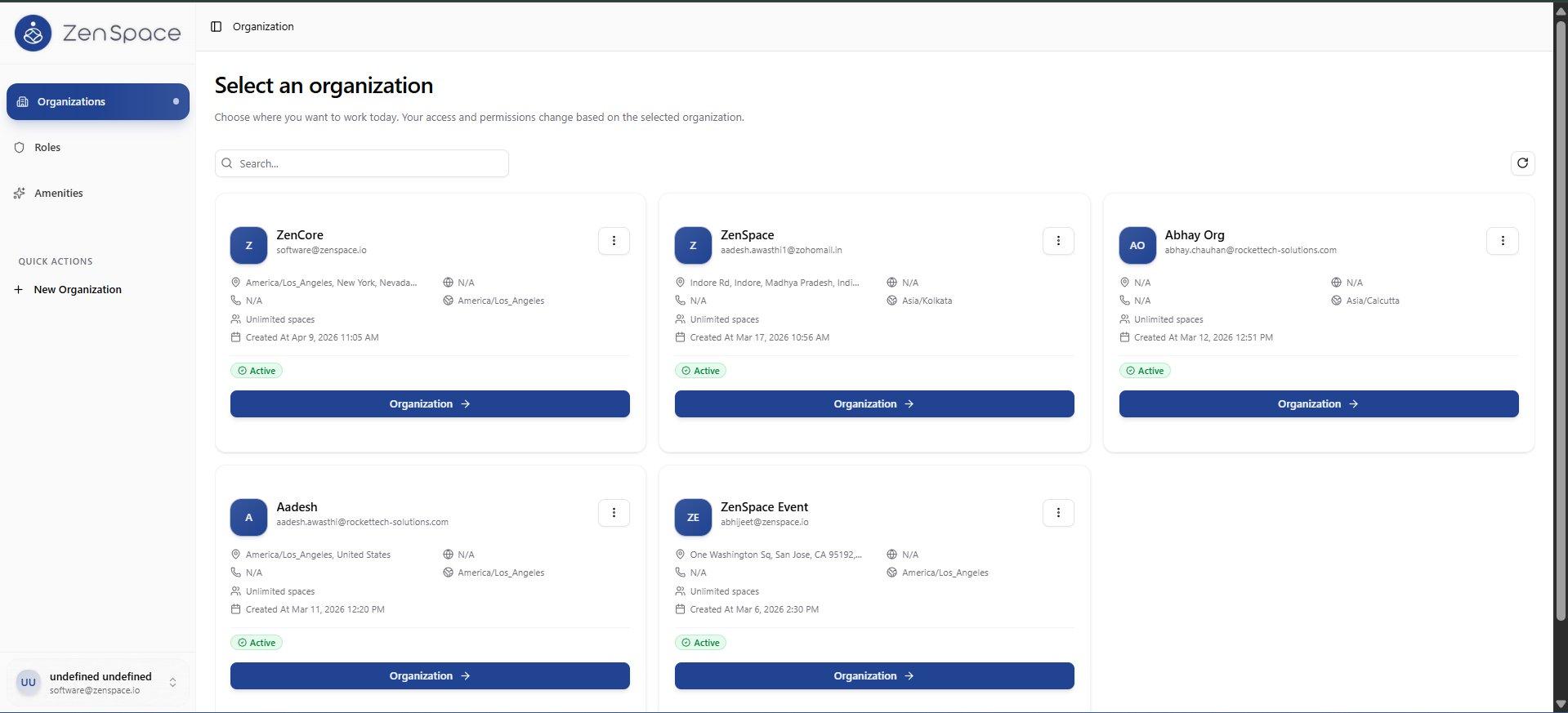
📸 Select an Organization
After login, users choose which organization workspace to enter. Multiple organizations are shown as cards with address, timezone, and space count. Route: /organization
Create New Organization
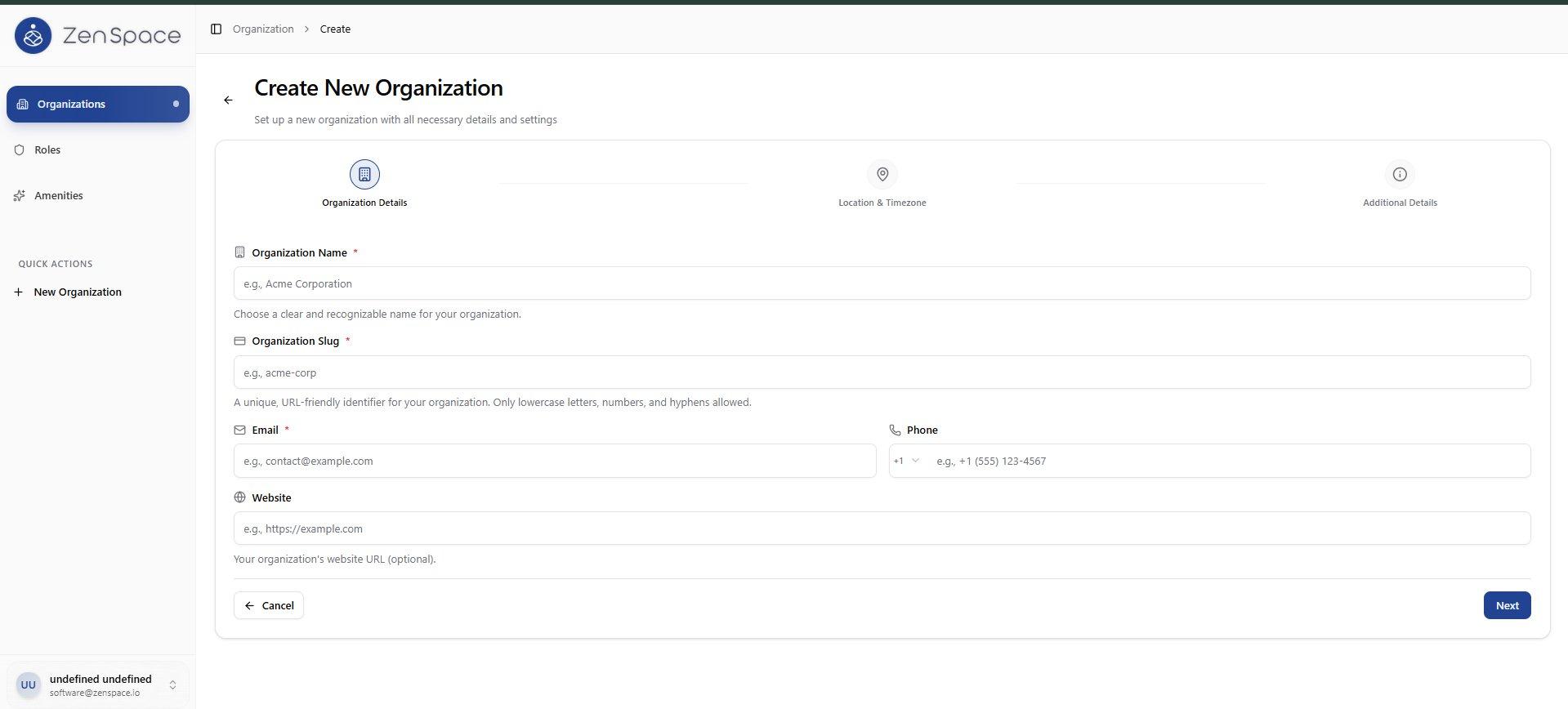
📸 Step 1: Organization Details
Enter Organization Name, Slug, Email, Phone, and Website. The slug is a unique URL-friendly identifier. Route: /organization/create
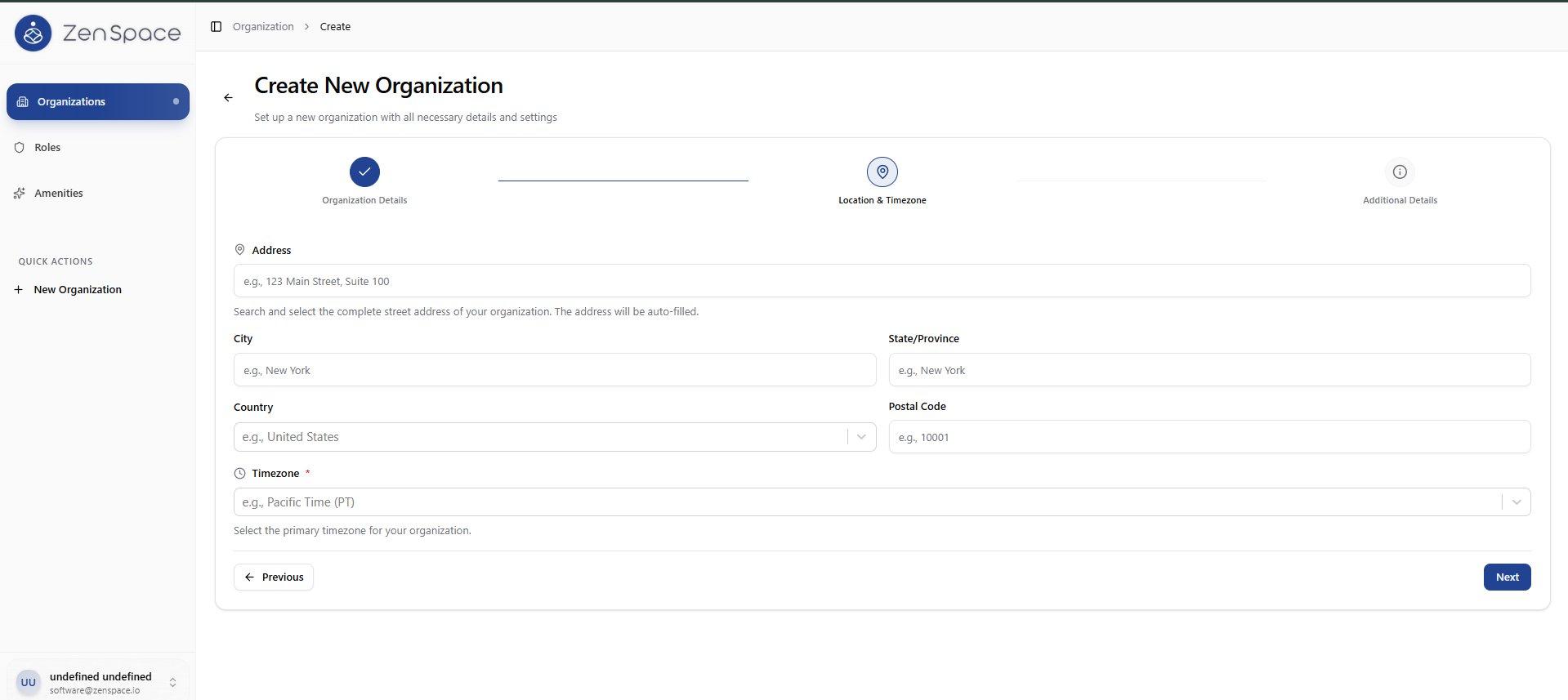
📸 Step 2: Location & Timezone
Enter the organization address including city, state, country, postal code, and select the primary timezone.
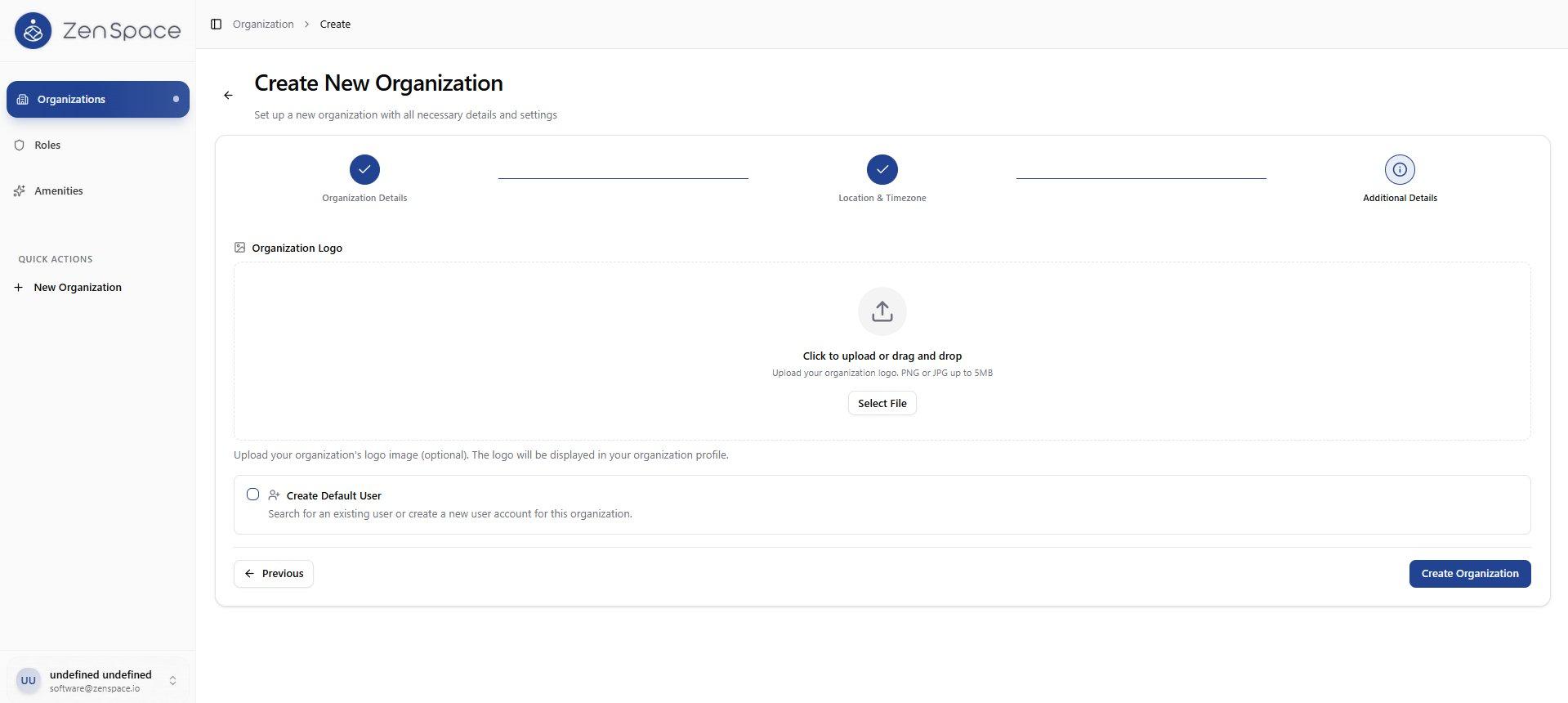
📸 Step 3: Additional Details
Upload an organization logo (PNG/JPG up to 5MB) and optionally create a default user for this organization.
Edit Organization
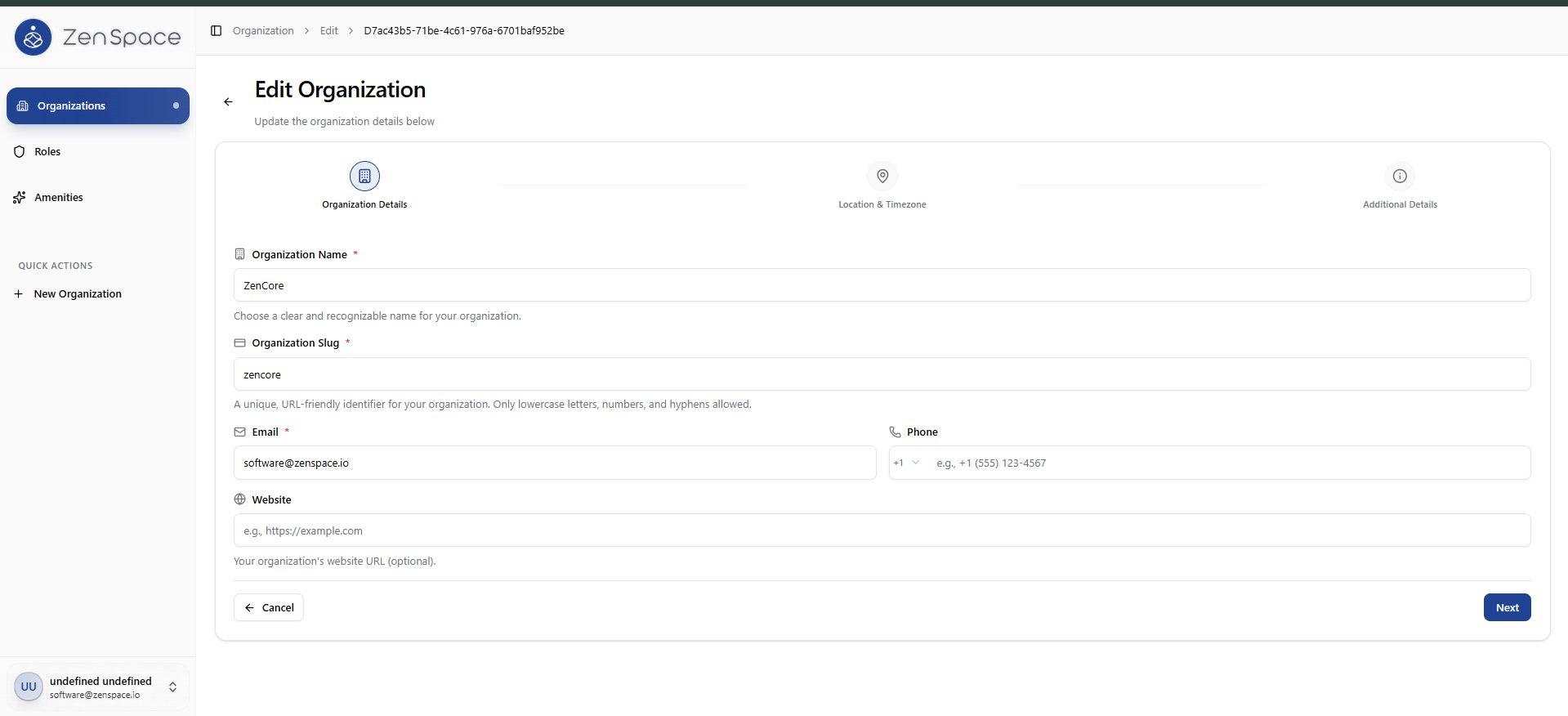
📸 Step 1: Organization Details
Edit existing organization details: Name, Slug, Email, Phone, and Website. Route: /organization/edit/:id
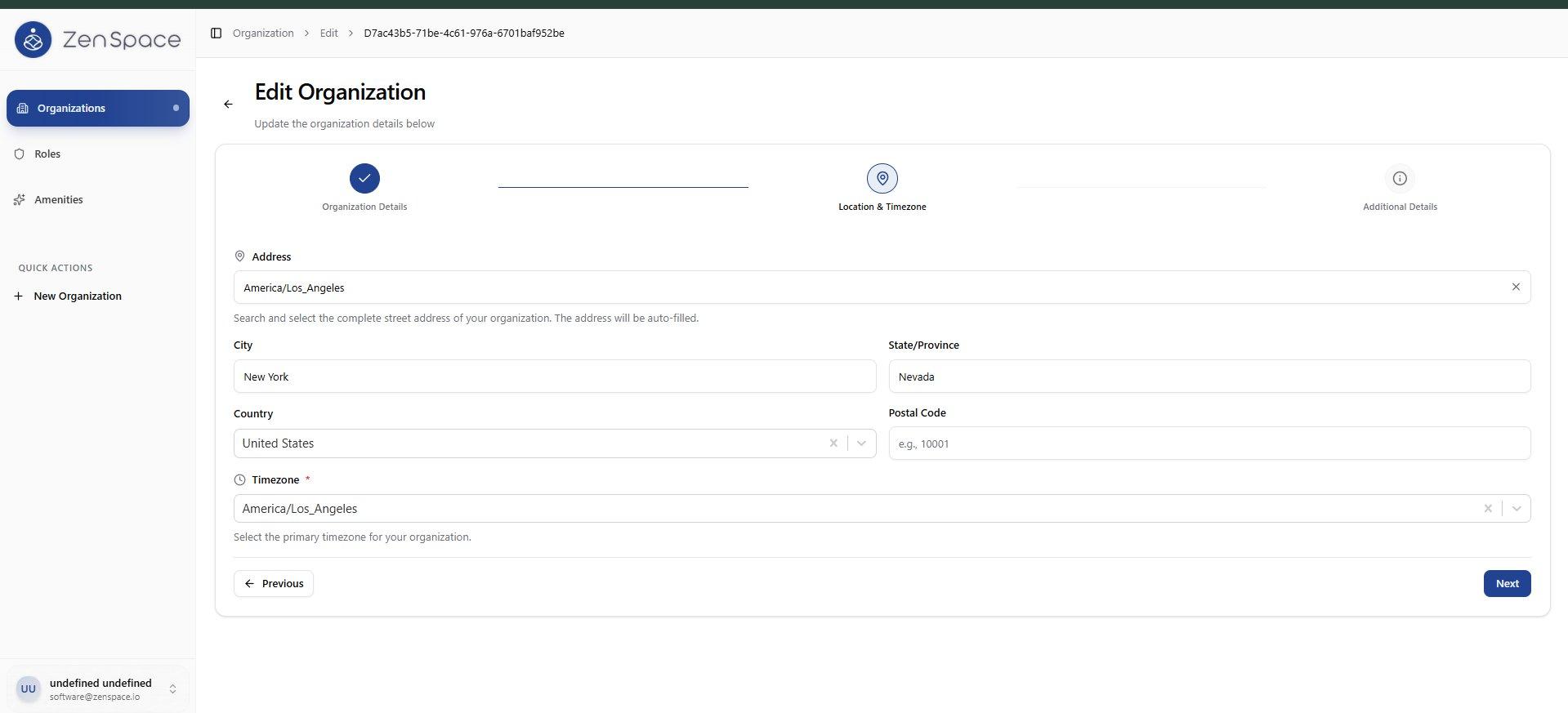
📸 Step 2: Location & Timezone
Update the organization address, city, state, country, and timezone settings.
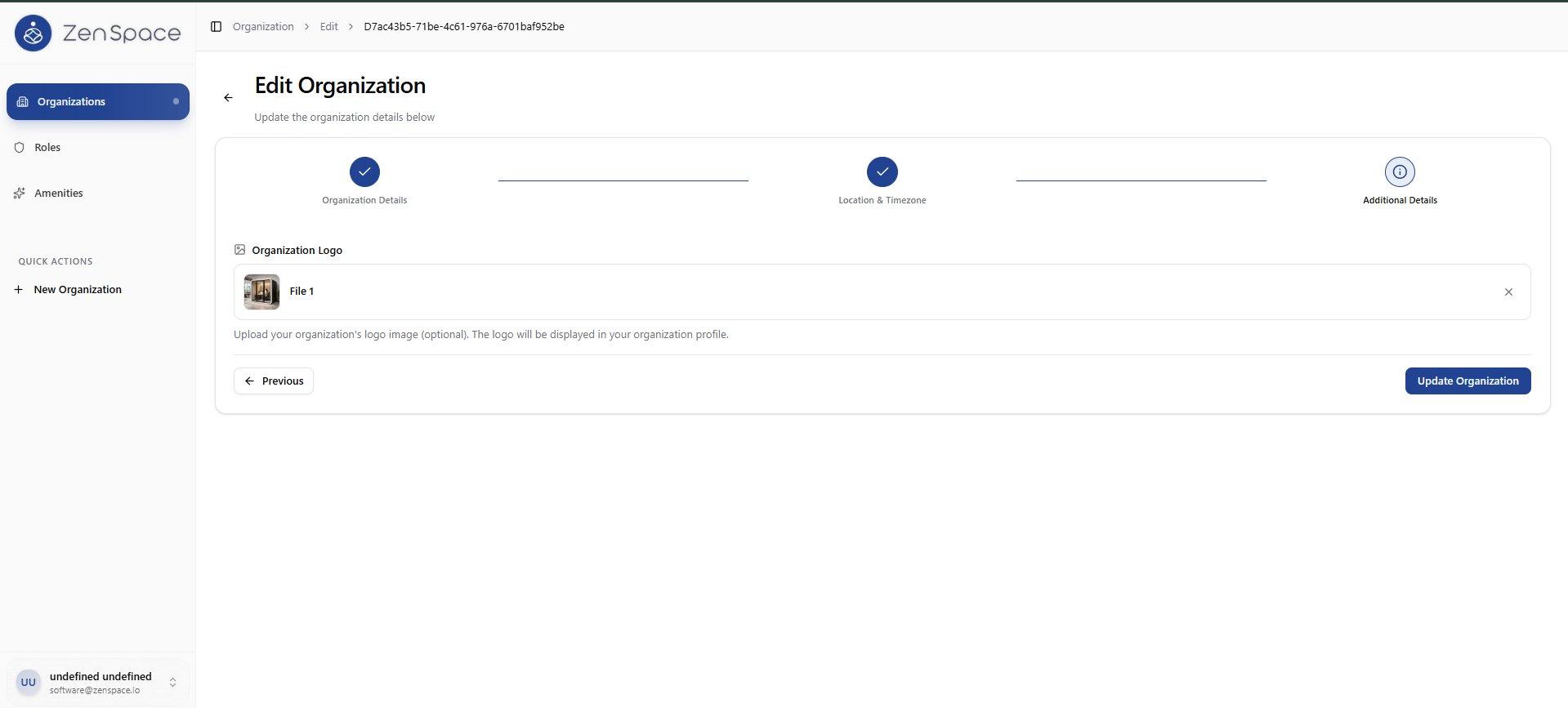
📸 Step 3: Additional Details
Upload or replace the organization logo. Update Organization button to save all changes.