Testing Checklist (QA / Manual Testing)
Use this as a structured regression checklist for each release. Tick each item before signing off.
Authentication
- Open app → redirects to /auth.
- Submit invalid email → appropriate error.
- Submit valid email → OTP sent; UI shows OTP step.
- Use a different email → back to email step.
- Wrong OTP → error; can retry.
- Correct OTP → redirect to /organization.
- Already logged in: open /auth → redirect to /organization.
Organization
- Organization list loads; cards show correct data.
- Action menu (three-dot) is hidden for non-super-admins.
- Select organization → navigates to /physical-spaces?orgId=
<id>; org name shown in sidebar. - Missing/invalid orgId on protected route → graceful empty/error state.
- Switch Organization from sidebar → /organization; selecting a new org updates context everywhere.
Physical Spaces (Primary)
- List loads (cards + table view).
- Create Space → form validation (name required) → appears in list.
- Edit Space → form pre-filled → save reflects.
- Delete Space → confirm modal → row removed.
- Open detail → hero metrics correct: Status, Devices, Active Pod, Last Updated.
- Mappings — table + calendar render; status badges (active/scheduled/expired) correct; Unlink confirms and removes mapping.
- Virtual Pod section appears only when an active mapping exists; status timeline (previous/current/next), booking details when present.
- Devices (Adapters) — list loads; realtime status updates without refresh; onboard new adapter form submits and new adapter appears.
- Webhook Logs — list loads; clicking row opens /physical-spaces/webhook-logs/:logId; realtime updates reflect new entries.
- Attempt History — list loads; clicking row opens /physical-spaces/credential-logs/:requestId.
Meeting Room Displays
- List loads; Create opens form; required physical_space_id enforced.
- Verification code displayed; verifying on a real device flips status to Verified via realtime (no manual refresh).
- View → detail page tabs and data correct; image/logo upload; regenerate token; request screenshot.
- Webhook logs accessible from detail; realtime updates.
- Edit → updates reflect in list/detail.
- Delete → confirm → removed.
IoT Gateway
- List loads.
- Create gateway → verification step appears; realtime verification closes modal and refreshes list.
- View gateway detail → identity, network, health, locks render.
- Edit → save → list/detail updated.
- Delete → confirm → removed.
API Keys
- List loads with permissions summary, status, expiration formatting.
- Create key → secret modal shows plaintext exactly once.
- Closing the secret modal makes plaintext unrecoverable.
- Rotate key → new plaintext shown; old key marked revoked in list.
- Revoke key → status flips to inactive; revoke option no longer offered.
- Expired keys render in red.
Public Magic Link
- Valid /magic/:token loads booking + devices; sections rendered by category; embed iframes load with sandbox="allow-scripts".
- Adapter error state rendered when adapter_embed_error present.
- Invalid / expired token → error state with Try again.
- No devices → empty-state message.
- Page works without an authenticated session (incognito).
Webhook Log Surfaces
- Display webhook log: open from /meeting-room-displays/:id; deep link /meeting-room-displays/webhook-logs/:logId works.
- Physical-space webhook log: open from /physical-spaces/:id; deep link /physical-spaces/webhook-logs/:logId works.
- Realtime updates push new rows in both surfaces without manual refresh.
Booking-Access Credential Logs
- Attempt History tab on physical-space detail loads.
- Click row → /physical-spaces/credential-logs/:requestId shows status, type, timings, errors.
Logout & Access Control
- Log out → token cleared; redirect to /auth.
- After logout, visiting any protected route redirects to /auth.
- Triggering a 401 from any authenticated request also clears the token and redirects to /auth.
General
- Sidebar collapse/expand works; active route highlighted (including subpaths like /iot-gateways/:id mapping to IoT Gateway).
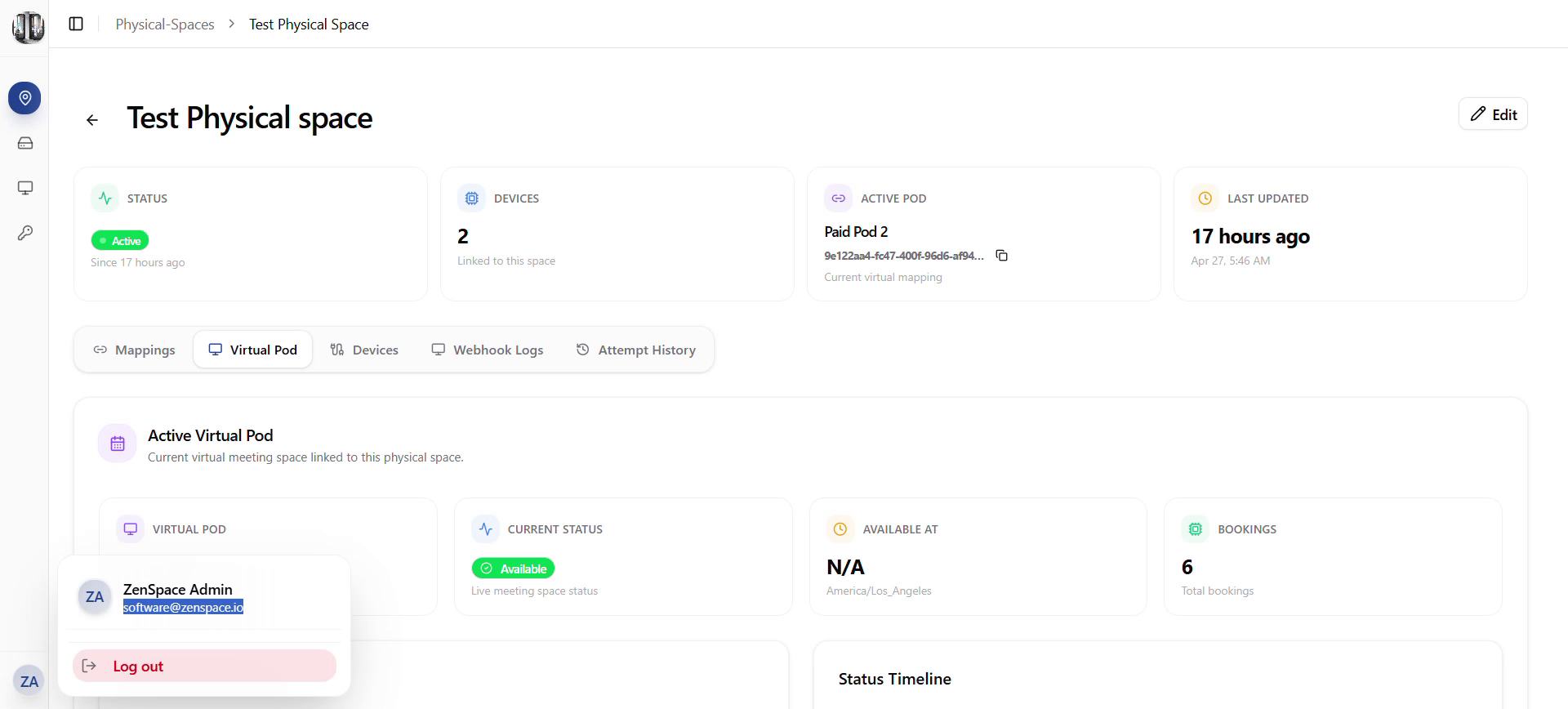
Fig 22 — Sidebar Collapsed (icon-only) with Logout menu
- Toasts appear for success/error on create, update, delete (Sonner).
- Loading skeletons + empty states render correct copy and CTAs.
- triggerHardRefresh causes list views to refetch after mutations.