Manage Booking
The Booking Detail view is the single source of truth for a booking. It brings together status, schedule, organizer, payment, and metadata so anyone supporting the guest can see the full picture at once.
-
Status at a glance. The Confirmed state and the full Booking ID sit at the top of the record.
-
Act on the booking. Open access link re-opens the Magic Link experience, and Cancel booking is offered directly on the record.
-
Payment & organizer. Booking amount, voucher discount, total paid, and the organizer’s contact details are grouped together, with a Paid badge on the payment card.
-
Metadata & source. Title, booking source (Web), check-in and check-out times, and created / updated timestamps are recorded for traceability.
Note Whether Cancel booking is offered depends on the cancellation policy applied to the space. In the previous revision of this guide the record showed “This booking can’t be cancelled — contact the venue” instead; both states are valid, driven by the policy in force. See the Cancellation Policy guide for how the options are configured.
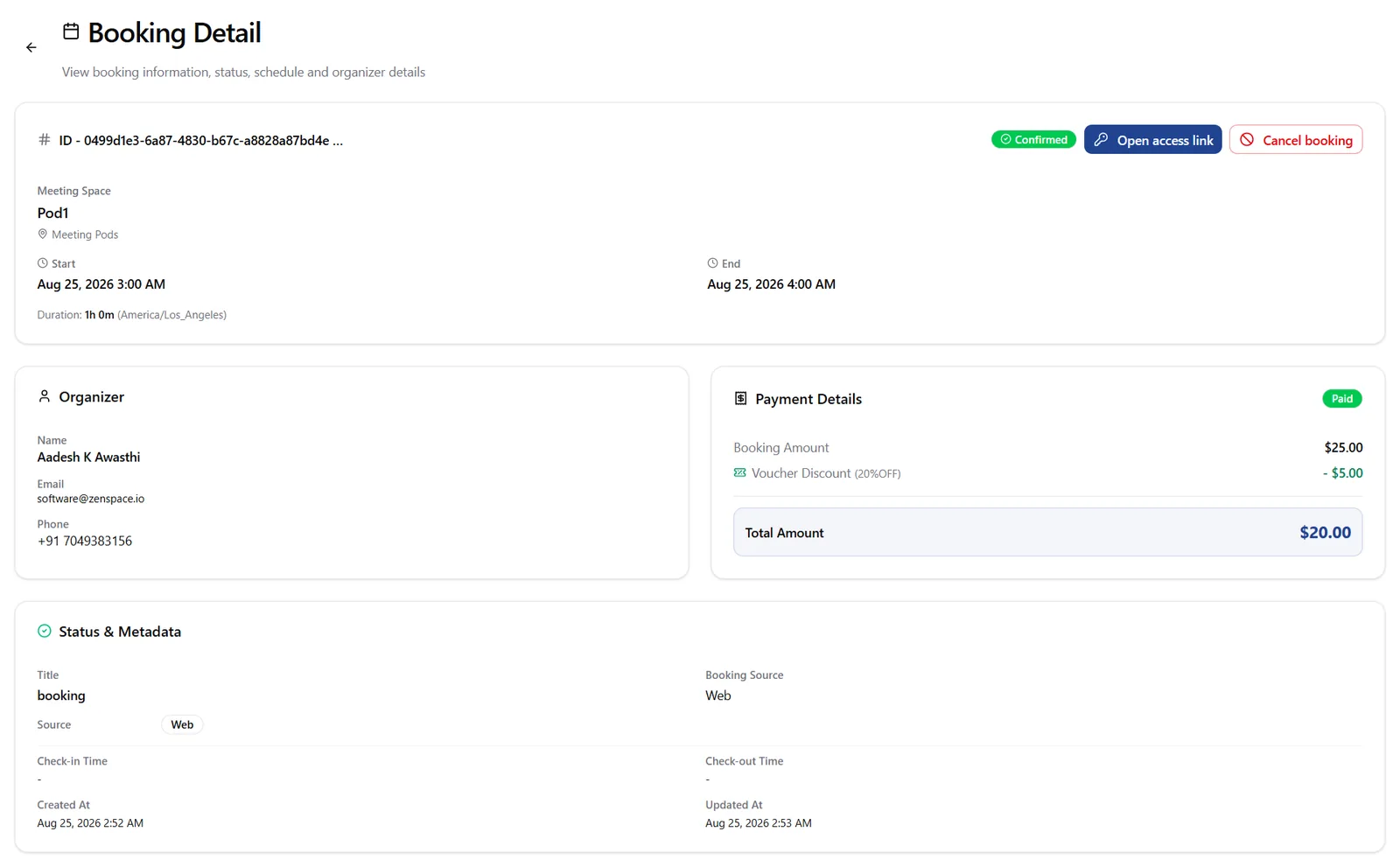
Figure 13 — The Booking Detail record — status, actions, organizer, payment, and metadata in one view.
Operator view: Booking Access
Opened from ZenCore, the same booking carries an additional Booking Access panel that reports how the ZenEdge door credential was generated and delivered. This is operator-facing and is not shown to guests, but it is the first place to look when a guest reports that a space did not unlock.
-
Credential delivery. A DELIVERED badge and a delivery timestamp confirm the credential reached the guest, with a Refresh control to re-check.
-
Attempt detail. Attempts so far, last attempt time, last trigger (Immediate), last request id, overall status (complete_success), when credentials were received, and any pending email state are all listed.
-
Policy snapshot. Marked “frozen at booking creation”, it records the retry cadence (every 5 minutes), how long retries continue (10 minutes past booking start), and what happens if delivery still fails (manual resolution required).
-
Refunds & cancellation. Issue refund sits beside Cancel booking under the payment card, labelled with the policy in force — here Default policy.
Note Because the policy is snapshotted when the booking is created, changing the org-wide retry policy afterwards does not alter existing bookings. Operator-side configuration of these policies is covered in the ZenCore Admin Guide under Settings → Booking Access Retry Policy.
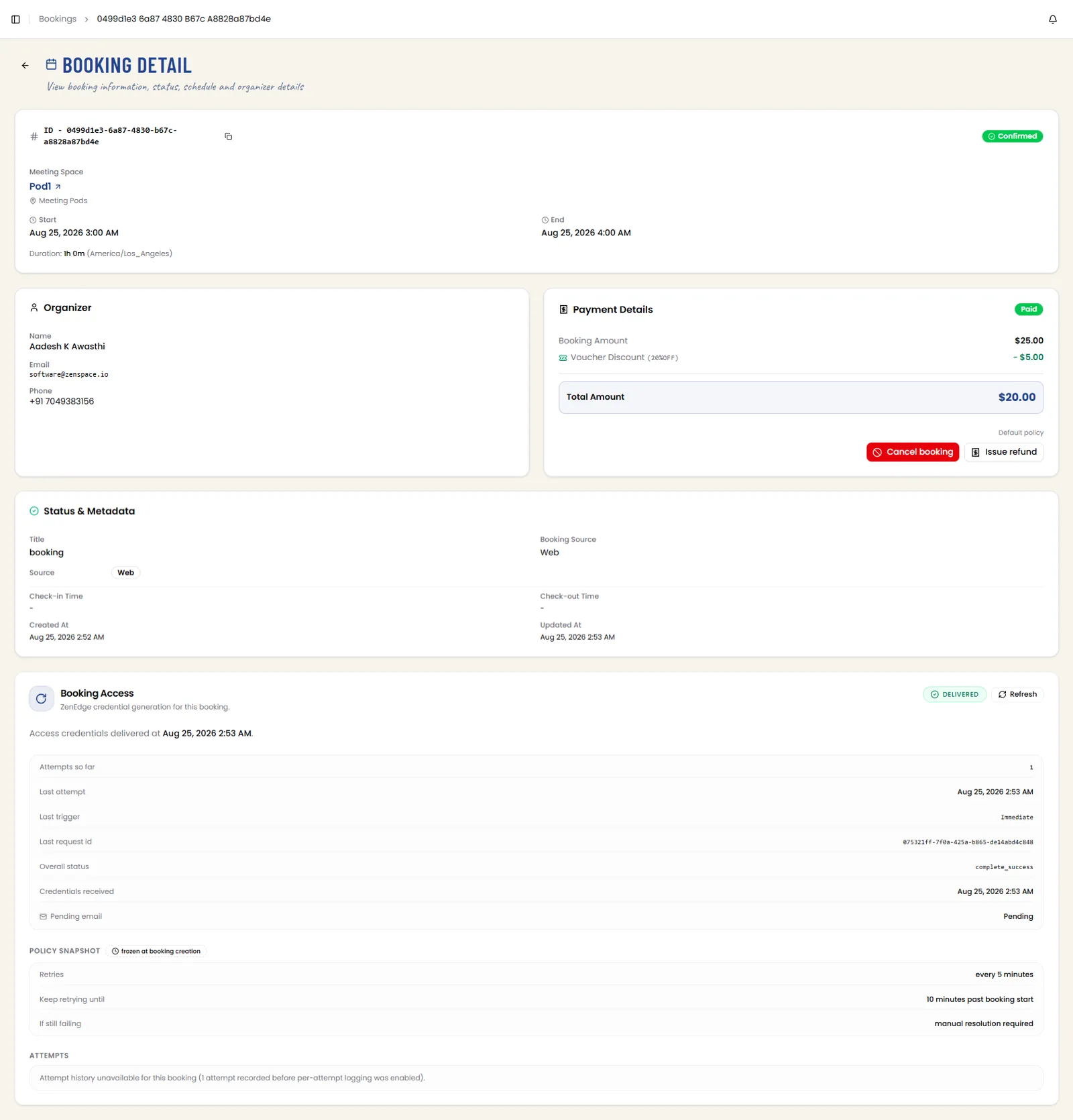
Figure 14 — The operator view of the same booking, including the Booking Access credential-delivery panel and policy snapshot.