Apply Voucher
If the guest has a promotional code, it is entered and applied in the Voucher field. The total recalculates instantly so the guest sees the discounted amount before reaching payment.
-
Enter & apply. The code is validated and, if valid, the matching offer is attached to the booking.
-
See the discount. The applied offer and its value appear as a clear line item beneath the field — here a 20% offer taking $5.00 off a $25.00 booking.
-
Total recalculates. Total to Pay drops to reflect the discount, in this example from $25.00 to $20.00.
-
Remove if needed. A Remove voucher link reverts the booking to the full amount at any time before payment.
Tip The example uses a venue-specific offer code. When sharing this guide externally, consider replacing the literal code with a placeholder so it isn’t reused.
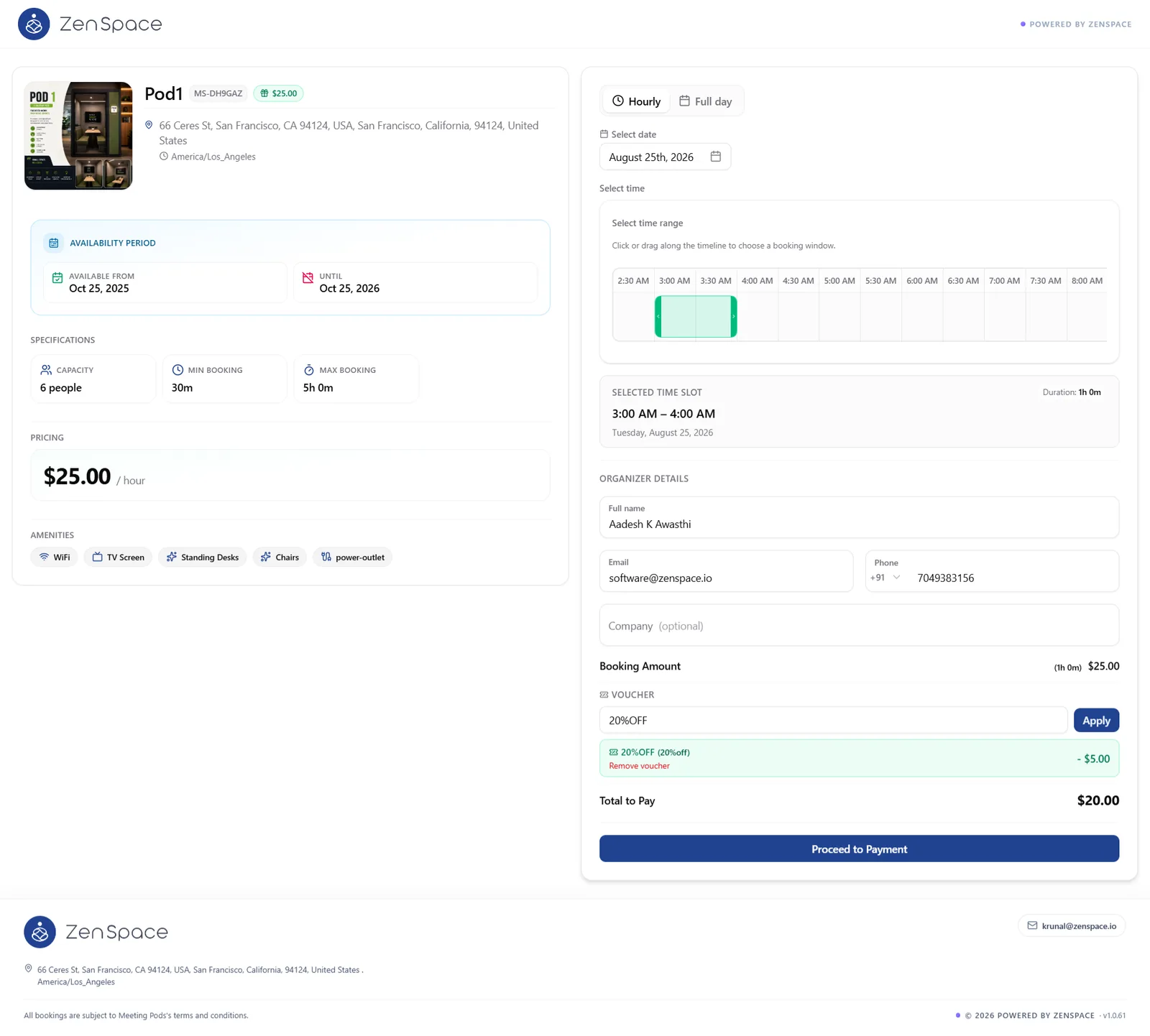
Figure 8 — Organizer details completed and a voucher applied, lowering the total to pay.